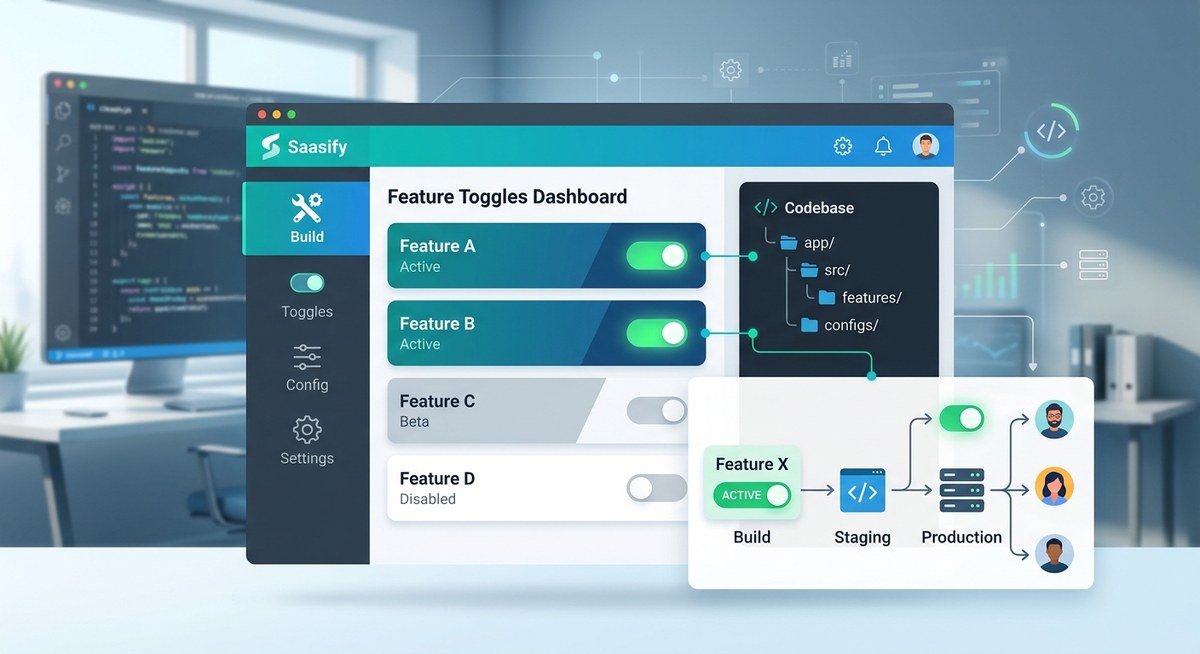
Feature toggles are one of those tools that sound amazing in theory but can poison your codebase if you use them without discipline. You want to ship faster, decouple deployment from release, and run experiments safely. Yet every experienced developer has a horror story about a toggle that lived for two years, or a configuration file with thirty flags that nobody remembers the purpose of. The good news is that feature toggles implementation doesn’t have to end in chaos. You just need a system.
Feature toggles are safe only when you treat them as temporary scaffolding, not permanent infrastructure. The difference between a clean implementation and a tangled mess comes down to four things: clear toggle categories, automatic expiration dates, centralized evaluation logic, and a ruthless cleanup process. Use these, and you can ship features daily without debt.
The real threat isn’t the toggle
Feature flags themselves are not the problem. The problem is leaving them buried in your code like landmines. When a toggle lives past its original purpose, it creates complexity that compounds over time. Every conditional branch doubles the logical paths through your code. Testing becomes a combinatorial explosion. And soon your team spends more time managing flags than building actual value.
The fix is not to ban toggles. It’s to design them with an off ramp from day one.
Why most feature toggles fail
Developers often start with the best intentions. They add a flag for a new feature, planning to remove it after the release. But then something happens. The product manager wants to A/B test the same flag. Or the feature gets delayed. Or someone leaves the team and the cleanup ticket sits in the backlog for six months.
Before you know it, you have a permanent toggle that everyone is afraid to delete.
Here is what typically goes wrong:
- Toggles are mixed together: release flags, experiment flags, ops flags all live in the same boolean soup
- No expiration policy: flags exist until someone manually remembers to remove them
- Evaluation logic is scattered: if checks appear in controllers, services, templates, and frontend components
- No centralized storage: some flags live in environment variables, some in a database config table, some in hardcoded constants
- Cleanup is an afterthought: teams rarely budget time for removing old flags
Any of these alone can cause pain. Together, they create a codebase that is fragile and frustrating to work with.
A framework for clean feature toggles implementation
After working with dozens of SaaS teams, I have seen three approaches that consistently prevent toggle rot. You can apply them regardless of whether you use a third party service or build your own simple flag system.
1. Categorize every toggle by lifespan
Not all flags are born equal. Martin Fowler and Pete Hodgson popularized four categories, and they still hold true in 2026.
| Toggle Category | Typical Lifespan | Where to Evaluate | Cleanup Urgency |
|---|---|---|---|
| Release toggle | Days to weeks | Server side | High: remove after full rollout |
| Experiment toggle | Weeks to months | Server side | High: remove after experiment ends |
| Ops toggle | Hours to days | Server side | Medium: can become permanent if not monitored |
| Permission toggle | Months to years | Both client and server | Low: often permanent (e.g., beta user gates) |
The key insight is that release and experiment toggles should be short lived by design. Ops toggles need a monitoring hook that alerts when they have been active too long. Permission toggles are the only ones that can stay, but they should be managed with the same discipline as any other config.
2. Enforce automatic expiration
A flag without an expiration date is a liability. When you create a new toggle, set a due date right then. Use a task manager that will escalate if the flag is still in production after that date.
Here is a practical process you can follow step by step:
-
Choose a toggle system: decide whether to use a dedicated service (like LaunchDarkly or Unleash) or a lightweight internal solution. For most indie SaaS products, a database backed config table with a simple API is enough. Avoid embedding flag logic in environment variables because they require redeploys to change.
-
Define a schema for each flag: at minimum, store name, category, created date, expiration date, owner, and current status. Use a boolean or a more complex value depending on your needs.
-
Build a circuit breaker into your evaluation code: when a flag is past its expiration date, default to off and log a warning. This prevents stale flags from causing unexpected behavior.
-
Automate flag removal: write a script that generates a pull request to delete the flag code and its references. Run it weekly against any expired flags. If the team is too busy to review the PR, at least the flag is turned off.
-
Audit your flags monthly: schedule a recurring meeting where every active flag is reviewed. Is it still needed? Can it be removed? Who owns it? If the owner can’t be found, the flag is a candidate for deletion.
3. Centralize toggle evaluation
The biggest source of technical debt is scattered if statements. When you write if (featureFlags.isEnabled("new-checkout")) in your controller, and then again in your view, and again in your API layer, you create multiple places that need to be updated when the flag is removed.
Instead, centralize the logic in a single service or middleware. For example, in an Express app you might create a feature flag middleware that wraps entire route handlers. In a React app, you can use a provider that conditionally renders components. The goal is that when a flag dies, you have one file to edit, not a grep session across the entire repo.
“A toggle that touches more than three files is already technical debt. Centralize the decision, not the duplication.”
— Pete Hodgson, author of “Feature Toggles”
Common mistakes and how to avoid them
Even with a solid framework, developers slip up. Here are the three mistakes I see most often, and the simple fix for each.
Mistake 1: Using toggles as a substitute for branching.
You don’t need a flag for every tiny feature branch. Use feature branches for development and toggles only for releasing incomplete features to production. If your feature branch lives longer than a day, consider using a toggle instead of merging to a long lived branch. But if you already have a clean trunk based workflow, toggles should be reserved for what cannot be tested in isolation.
Mistake 2: Forgetting to toggle off.
A flag that is on for everyone is pointless. Once a feature is fully rolled out, delete the toggle immediately. Do not leave it as a “just in case” switch. If you need to roll back, use your deployment pipeline, not a flag.
Mistake 3: Testing only one state.
When you add a toggle, you double your testing surface. You need to test with the flag on, with the flag off, and with the toggle infrastructure itself (what happens if the toggle service is down?). Automate these tests. Consider using a matrix in your CI/CD that runs the suite for each flag state.
Building toggles into your SaaS from the start
If you are working on a new SaaS product, now is the perfect time to design your feature toggles implementation the right way. Do not wait until you have ten flags and a headache. Start with a lightweight system that forces good habits.
A few practical tips for indie developers:
-
Keep the toggle service simple. A JSON config file loaded at startup works for small teams, as long as it can be updated without a full deploy. A relational database table with a dashboard is even better.
-
Use the same toggle system for internal features and for user facing experiments. Consistency reduces confusion.
-
Write a short documentation page that explains your toggle categories, the expiration policy, and the cleanup process. New team members will thank you.
-
Tie toggle removal to your definition of done. In your pull request template, add a checkbox: “All feature flags added in this PR have an expiration date and a cleanup plan.” If the answer is no, the PR should not be merged.
How to recover from toggle debt
Already have a codebase that is drowning in old flags? Do not despair. You can clean it up with a systematic approach.
First, run a static analysis tool to find every toggle check in your codebase. List them in a spreadsheet with the file name, line number, and toggle name. Then categorize each one. Short lived flags that are still on for everyone can be removed immediately. Flags that are off and have no recent activity can be deleted. For the ones you are unsure about, turn them off in staging and see if any tests break. If nothing breaks, delete them.
Next, set a goal: reduce your active flag count by half within one sprint. Track this metric on your team dashboard. Make it visible. When the number starts rising, it forces the conversation about cleanup.
Finally, adopt the rule that every new toggle must replace an old one. This keeps the total count bounded and prevents accumulation.
Feature toggles and your broader architecture
Feature toggles work best when combined with other modern practices. If you are using trunk based development, toggles give you the safety net to merge incomplete code without breaking production. If you are building a modular SaaS architecture, toggles let you roll out new modules gradually. They also complement CI/CD pipelines by allowing you to deploy code before it is ready for users.
For a deeper look at how to structure your SaaS for long term health, check out our guide on designing a scalable architecture for your indie SaaS from the ground up. And if you are still deciding between a monolith and microservices, our comparison on should you build your SaaS with a monolith or microservices can help you choose the right foundation for toggles.
Making feature toggles a sustainable habit
Feature toggles are not the enemy. Untamed, unexpired, uncategorized flags are. By treating every toggle as a temporary guest in your codebase, you can enjoy the benefits of continuous delivery without the maintenance nightmare.
Start with the three pillars: categorize each flag, give it an expiration date, and centralize its evaluation. Then build the discipline to review and remove flags as routinely as you review pull requests. In a few weeks, your team will wonder how you ever shipped without them. And in a few months, your codebase will stay as clean as the day you started.
Go ahead and add that first toggle. Just remember to schedule its farewell party before you do.