You’re building a SaaS product and you need to send email confirmations, generate PDF reports, or sync data with third-party APIs. You know these tasks must run outside the main request cycle, but every time you try to add a job queue, you end up tangled in infrastructure decisions. Worker configs, retry logic, dead letter queues. Suddenly your two-day feature turns into a two-week detour.
It does not have to be that way. Background processing should feel like a natural extension of your code, not a separate project that stalls your roadmap.
Adding background jobs to your SaaS does not require months of infrastructure work. Start with in-process queues and local job tables. Move to dedicated workers only when your traffic demands it. This layered approach lets you ship features now, handle 10,000+ daily jobs without pain, and refactor later without rewriting your entire application.
Why Background Jobs Feel Heavy for Indie Founders
The advice you usually hear comes from companies with platform engineering teams. They talk about dedicated worker clusters, stream processing, and idempotency guarantees. That advice is correct for their scale. But if you are a solo founder or part of a small team, that level of complexity does not match your constraints.
You need something simpler. A system that:
- Takes less than an hour to set up.
- Works with your existing database and framework.
- Does not require a separate deployment pipeline.
- Handles failure gracefully without waking you at 3 AM.
The goal is to implement background jobs for SaaS in a way that protects your users and your sleep schedule. Let’s walk through exactly how to do that.
The Three Layer Model for Background Jobs
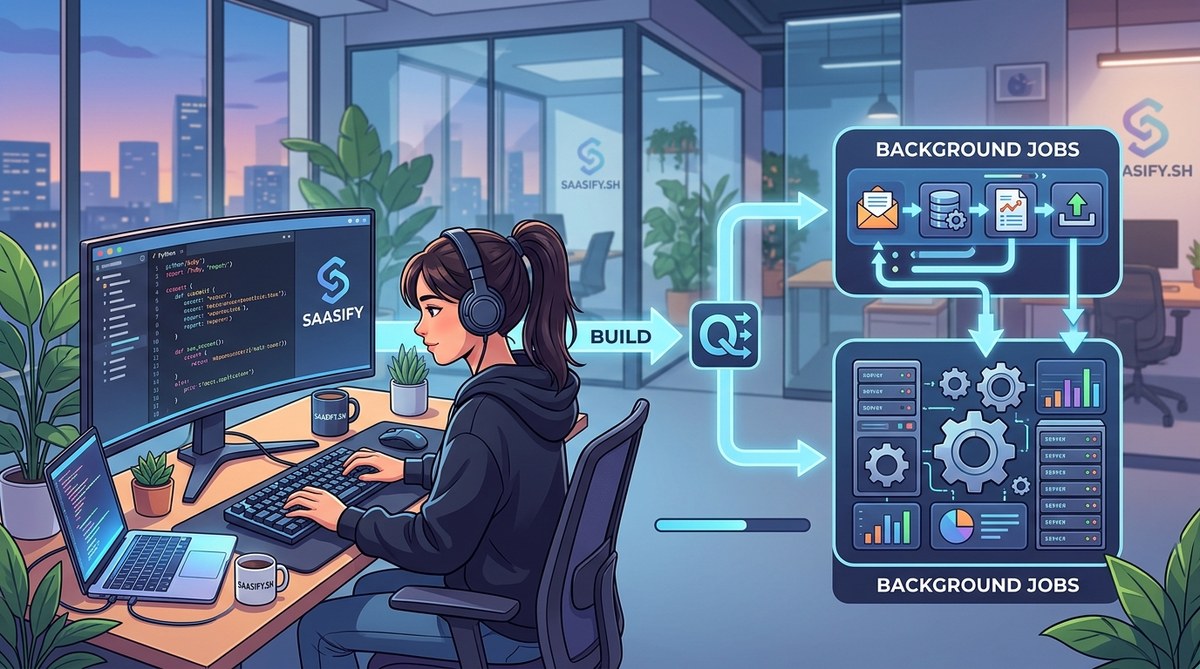
Think of background processing as a series of layers you move through as your SaaS grows. Do not skip ahead. Stay in the simplest layer until you feel real pain.
Layer 1: In-Process Queues (MVP Stage)
Before you install Redis or spin up a worker fleet, use your application’s own memory. Most frameworks have a built-in way to defer work.
Here is a practical example using a simple in-memory queue:
# A minimal in-process queue using Python's threading
import threading
import queue
import time

job_queue = queue.Queue()

def worker():
    while True:
        job = job_queue.get()
        if job is None:
            break
        try:
            job()
        except Exception as e:
            print(f"Job failed: {e}")
        job_queue.task_done()

threading.Thread(target=worker, daemon=True).start()

# Usage: push a job
job_queue.put(lambda: send_welcome_email(user.id))
This pattern works for your first 50 to 100 daily active users. The tradeoff is that jobs disappear if your server restarts. That is acceptable when you are validating your idea. Once you have paying customers, you will want durability.
Layer 2: Database-Backed Queues (Growth Stage)
A simple database table gives you persistence without new infrastructure. You poll it from your application or a lightweight worker.
CREATE TABLE background_jobs (
    id SERIAL PRIMARY KEY,
    job_type VARCHAR(100) NOT NULL,
    payload JSONB NOT NULL,
    status VARCHAR(20) DEFAULT 'pending',
    created_at TIMESTAMP DEFAULT NOW(),
    attempts INT DEFAULT 0,
    max_attempts INT DEFAULT 3
);
A small polling loop picks up pending jobs:
def process_db_jobs():
    while True:
        jobs = db.query("""
            SELECT * FROM background_jobs
            WHERE status = 'pending' AND attempts < max_attempts
            ORDER BY created_at ASC
            LIMIT 10
            FOR UPDATE SKIP LOCKED
        """)
        for job in jobs:
            try:
                execute_job(job)
                db.execute("UPDATE background_jobs SET status = 'done' WHERE id = %s", job.id)
            except Exception:
                db.execute("""
                    UPDATE background_jobs
                    SET attempts = attempts + 1, status = 'failed'
                    WHERE id = %s
                """, job.id)
        time.sleep(1)
This handles hundreds of thousands of jobs per day on a single $5 database instance. Many profitable SaaS products never outgrow this layer.
Layer 3: Dedicated Queue Infrastructure (Scale Stage)
When you need sub-second job latency, massive throughput, or complex scheduling, reach for tools like RabbitMQ, Amazon SQS, or Redis with Bull. By this point you have revenue and a team. The complexity is justified.
Here is a comparison of the three layers:
| Layer | Durability | Setup Time | Max Throughput | When to Use |
|---|---|---|---|---|
| In-process queue | None | 5 minutes | Low | Prototype, under 50 DAU |
| Database-backed | Full | 30 minutes | High | Production with paying users |
| Dedicated queue service | Full | 2-4 hours | Very high | 100k+ jobs/day, sub-second needs |
How to Implement Background Jobs for SaaS in 4 Steps
Follow this numbered sequence to add background processing without derailing your current sprint.
-
Identify blocking work in your request cycle. Look at your API endpoints and find any call that takes more than 200ms and does not need a synchronous response. Email delivery, file processing, webhook calls, report generation. These are your candidates.
-
Extract the work into a function. Write a pure function that takes a payload and performs the task. Keep it stateless. If it needs database access, pass the IDs, not the objects.
-
Wrap the function call in a job dispatch. Use your chosen queue layer to enqueue the work. Keep the dispatch call synchronous from the request handler. The actual execution happens later.
-
Add minimal observability. Track job counts, failure rates, and latency. A single dashboard with three metrics is enough to know if your system is healthy.
Common Mistakes That Slow Down Development
Avoid these pitfalls when you decide to implement background jobs for your SaaS:
- Building retry logic from scratch. Use your framework’s built-in retry or a library. Custom retry is a bug farm.
- Mixing job types in one queue with no visibility. Use separate queues or a type field so you can monitor each flow independently.
- Ignoring job timeouts. Always set a timeout. A stuck worker holding a database lock will kill your entire application.
- Writing jobs that depend on global state. Jobs must be self-contained. Pass everything they need as arguments.
Expert advice from years of building production systems: “A background job should never silently fail. Log the failure, increment a metric, and move on. Do not retry indefinitely. Three attempts is the magic number. If a job fails three times, it needs human attention, not another retry.”
Tools to Get Started Today
You do not need to evaluate ten different tools. Pick the one that matches your stack:
- Rails developers: Use Sidekiq with Redis. It is mature, well-documented, and handles nearly any load.
- Python developers: Celery with Redis or RabbitMQ is the standard. For simpler needs, use Huey or Dramatiq.
- Node.js developers: Bull (backed by Redis) is the most popular choice. It handles scheduling, concurrency, and retries out of the box.
- PHP developers: Laravel Queues with the database driver work well for most SaaS products. Switch to Redis when you need more speed.
- Go developers: Use Machinery or River. Both integrate with Redis and give you fine control over concurrency.
Each of these tools works well with its respective framework. Do not overthink the choice. Pick the one that your existing codebase speaks to naturally.
If you are still deciding on a broader architecture for your product, check out our guide on should you build your SaaS with a monolith or microservices. Your background job strategy will differ depending on which path you choose.
Structuring Job Payloads for Long-Term Sanity
A well-structured payload makes your background system maintainable. Use these guidelines:
- Always include a unique job ID, even if your queue system generates one.
- Store the job type as a string, not an integer.
"send_welcome_email"is readable in logs and dashboards. - Keep payloads small. Pass entity IDs and let the job fetch the data. This avoids stale data and reduces storage.
- Include a timestamp for when the job was created. This helps with debugging delays.
{
  "id": "job_abc123",
  "type": "generate_invoice_pdf",
  "payload": {
    "user_id": 42,
    "invoice_id": 8901
  },
  "created_at": "2026-06-15T14:22:00Z"
}
Monitoring Without the Overhead
You do not need a dedicated observability platform to watch your jobs. A simple approach works for years:
- Log every job start, success, and failure with a consistent message format.
- Count successes and failures as metrics. Most application performance monitoring tools have a simple counter API.
- Set up a webhook or email alert if the failure rate exceeds 1% in a 5-minute window.
- Review a sample of failed jobs each week. Look for patterns.
This gives you confidence without adding cognitive load.
If you are building your SaaS on a tight timeline, you might also appreciate our guide on how to build a SaaS MVP in 30 days without burning out. Background processing is one piece of the puzzle, and keeping it simple helps you ship faster.
When to Move to a Dedicated Worker Process
You will feel the moment when your database-backed queue is no longer enough. Symptoms include:
- Jobs accumulating faster than they complete.
- Database CPU consistently above 70% from queue polling.
- Users reporting delayed emails or notifications.
- You need to schedule recurring jobs with cron-like precision.
At that point, move to a dedicated worker service. Keep your job dispatch code the same. Change only how jobs are stored and executed. This is where tools like Sidekiq, Celery, or Bull shine. Your application code barely changes.
The Real Cost of Over-Engineering Background Jobs
I have seen founders spend three weeks building a job system with Kubernetes, horizontal pod autoscaling, and a custom dashboard. Their product had 200 users. That time should have gone into features, sales, or customer support.
The fastest way to implement background jobs for SaaS is to start with the simplest possible version and upgrade only when you have evidence that you need more. Your users care about the product, not your queue infrastructure.
Another common distraction is worrying about database design at the start. If you are still figuring out your schema, read about 7 database design mistakes that will haunt your SaaS later so you avoid the most painful ones.
Putting It All Into Practice
Start today. Pick one slow operation in your application and move it to a background queue using the database-backed pattern. It will take you 30 minutes. By the end of the day, your API response times will drop, and your users will notice.
That single change gives you room to focus on what matters: building features people pay for. The infrastructure can wait. Your development speed does not have to suffer.