Most indie SaaS founders spend months building something solid, then post a bullet list on their landing page and call it marketing. That leaves a lot of signups on the table. A short demo video does something no feature list can do: it puts your product in motion, with a real voice guiding someone through the exact moment their problem gets solved. Visitors who watch a product demo convert at a much higher rate than those who only read. And you do not need a professional studio, a video editor, or expensive gear to make one that works.
The Lean Demo Playbook
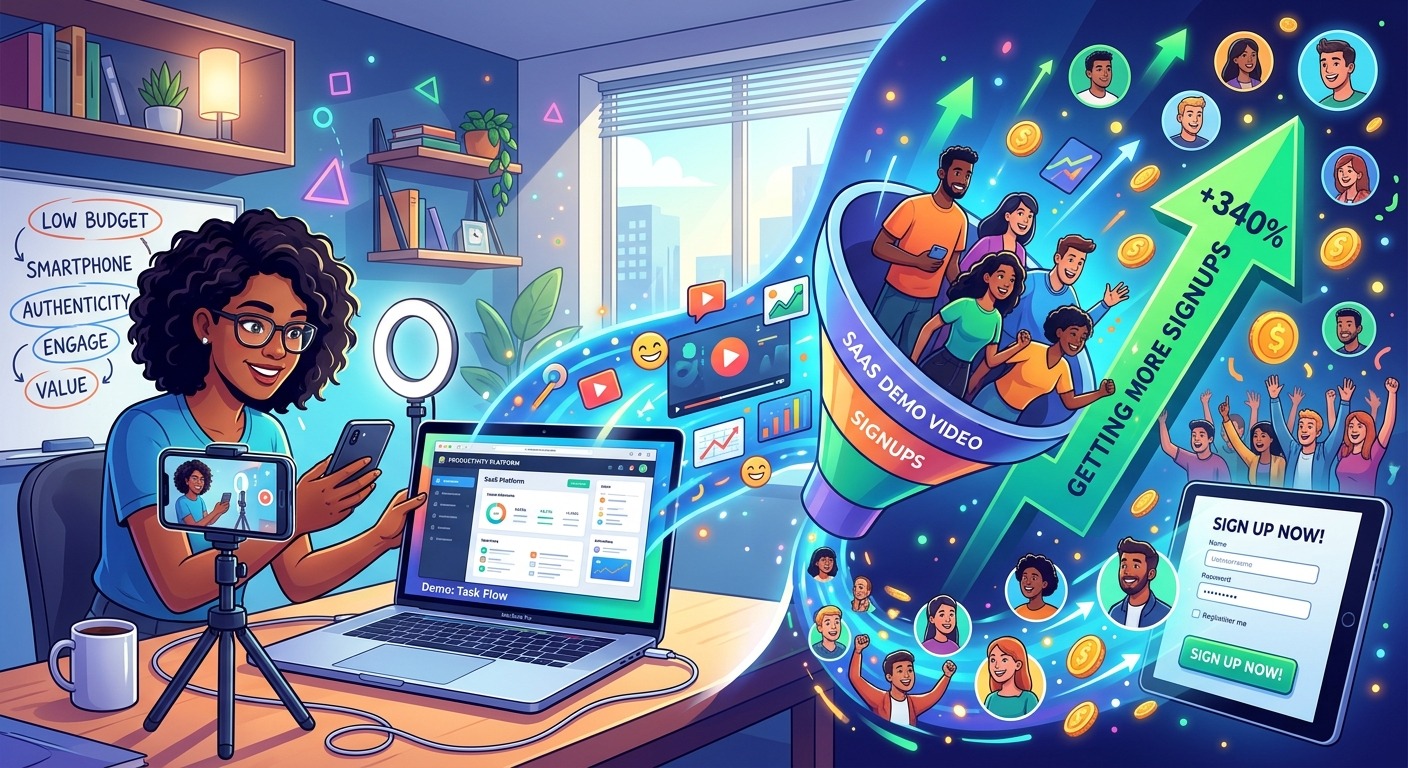
Recording a converting demo video costs you time, not money. With a decent microphone, free screen recording software, and a clear script, you can produce something that feels polished and trustworthy. The payoff is real: demos help visitors understand your product in seconds, reduce support questions, and give you content that works across your landing page, social feeds, and email campaigns. This guide walks through every step of a lean, one-person video workflow.
Why Demo Videos Turn Browsers Into Trial Users
People buy from people they trust. When a founder narrates a walkthrough of their own product, viewers pick up on the confidence behind it. There is no stock footage, no corporate voice-over, and no over-produced gloss that signals “agency made this.” That authenticity connects. A written feature list asks the visitor to imagine how the product works. A video shows them, removes doubt, and does the imagining for them. That difference matters enormously at the top of your funnel, where you have a few seconds to stop someone from bouncing.
If your SaaS has any kind of workflow, setup process, or “aha moment” that is easier to see than describe, video is not optional on your landing page. It is the fastest path between a cold visitor and someone who understands your product well enough to want it. The format is also forgiving: a founder-narrated screen recording, done in one or two takes with a budget microphone, consistently outperforms polished explainer videos that bury the value prop under brand animations.
The Recording Gear You Already Have
You do not need to go shopping before you start. The most important piece of gear is the microphone. The one built into most modern laptops is passable for a first attempt. If you can spend $50 to $100, a USB condenser microphone makes a noticeable difference in clarity and will serve you across every video you produce going forward.
Beyond the microphone, the full setup is surprisingly minimal:
- A screen recording tool. OBS Studio is free, open-source, and handles anything you need. Loom has a generous free tier and makes uploading and sharing effortless for solo founders.
- A quiet room with soft surfaces. A bedroom with clothes in the closet absorbs echo better than most dedicated recording spaces and costs nothing to set up.
- A rough script or talking points written before you hit record. This keeps the narration focused and prevents the rambling that kills watch-through rates.
- A second take ready to go. The first recording is almost always a warm-up. Budget for at least one retry from the start.
That is the entire setup. No camera required. Screen recording with voice narration works best for SaaS products because the viewer watches your actual product in action, not a slide deck about it.
What a High-Converting Demo Actually Shows
Lead With the Problem, Not the Interface
The most common mistake founders make in demo videos is opening with the product. “Here’s the dashboard. Over here you can see the analytics panel…” That structure puts the cart before the horse. The viewer does not yet care about your dashboard. They care about their problem. Open by naming it precisely. “If you spend an hour each week chasing unpaid invoices, this is for you.” That one sentence filters in exactly the right audience and gets them leaning forward.
Show the Outcome Before Walking Through Every Feature
After naming the problem, skip ahead to the result. Show what life looks like after your product has already solved it. Then walk back through the steps that get there. This structure keeps attention high because the viewer already knows the destination. They are watching to understand the path.
Keep your landing page demo under three minutes. Under two minutes is better. For tutorial content or onboarding walkthroughs, longer is fine. But your first-impression demo must be short enough that someone watching on a phone stays to the end.
Six Steps for Recording and Shipping Your First Demo
Follow these in order and you will have something ready to post within a couple of hours:
- Write a tight outline. Not a word-for-word script, but a clear list of the screens you will show and the specific problem you will name at the start. This keeps the narration focused and cuts dead air.
- Do a dry run without recording. Walk through your product exactly as you plan to narrate it. Fix anything that feels awkward or runs too long before you hit record.
- Prepare your screen. Set your resolution to 1080p or close to it, close any personal browser tabs, and disable notifications for the duration of the recording session.
- Record in short sections if it helps. Most editing tools let you stitch clips together. Stopping between screens makes mistakes easier to manage and removes the pressure of executing a perfect single take.
- Edit for pace, not perfection. Cut long pauses and stumbles. You do not need background music or animated transitions. Clean audio and a steady narration are enough for a converting demo.
- Export and upload. 1080p is the standard. Compress the file if your video host has size limits, but do not drop below 720p. Label the file clearly before uploading so you can find it later.
Total time from outline to upload, including one or two retakes, is usually under two hours for a first attempt. It gets faster the second time.
Polishing Your Video Before It Goes Live
This is where most founders stop too early. You have a recorded, edited video. Two additional steps will make it work significantly harder for you.
The first step is captions. Captions are not an optional polish item. Following accessibility guidelines for captions in prerecorded video content matters both for inclusion and for reach. A viewer watching in a noisy environment, or someone who is not a native English speaker, will follow a captioned video far more closely than an uncaptioned one. Captions also make your video content indexable, which means your demo can surface in places your landing page might not reach at all.
Getting captions done manually is tedious and slow. Running your finished video through a subtitle generator turns a task that used to take an hour into a two-minute process. Upload your video or audio file, receive accurate timed captions, and export them in the format your video host requires. That single step makes your demo more accessible, more watchable, and more findable at the same time, at zero additional cost.
The second step is the thumbnail. Most video platforms let you set a custom thumbnail image. Use a frame that shows something visually meaningful: a filled analytics view, a clean dashboard state, or a before-and-after moment from inside your product. Add a short text label in large, readable type. The thumbnail earns the click before the video ever starts playing.
Where Your Demo Works Hardest After the Landing Page
Your landing page is the natural first home for a demo video, ideally placed above the fold. Visitors who hit dense text tend to scroll past without reading. Visitors who see a short video often stop and watch. That behavioral difference alone is worth the time you spend recording.
Beyond the landing page, your demo has a much longer useful life than most founders take advantage of. Drop a trimmed clip into your welcome email sequence. Send it to users who signed up but never came back to activate. Post it on LinkedIn or Twitter as a product update. Submit it to your Product Hunt listing. Include it in outbound emails where it replaces a dense paragraph of explanation. A two-minute video sent cold gets more attention than three paragraphs because it respects the reader’s time and shows rather than tells.
Tutorial and walkthrough videos that go deeper on specific features belong in your help documentation and onboarding flow. Every new user who activates without contacting support is a retention win. Video tutorials reduce the activation friction that kills free-to-paid conversion in SaaS more than almost any other single factor. The same demo you recorded for your landing page, lightly trimmed and re-narrated for context, can do double duty in your onboarding sequence.
Signups Start With Understanding, Not Production Value
The thing that drives signups is not how professional the video looks. It is how clearly it communicates who the product is for and what problem it solves. A video recorded in one take on a laptop microphone, with accurate captions and a problem-first structure, will convert better than an over-produced explainer that spends thirty seconds on a logo animation before getting to the point.
Indie founders have one advantage that larger companies cannot buy: the person who built the product is the person explaining it on camera. That comes through in the narration, in the word choices, in the unscripted confidence of someone who knows exactly why they built what they built. Use it. Record a demo this week. Start with the problem, keep it tight, add captions, and post it. Watch your analytics for the first two weeks and let the numbers tell you what to change. The production budget stays at zero. The conversions do not have to.