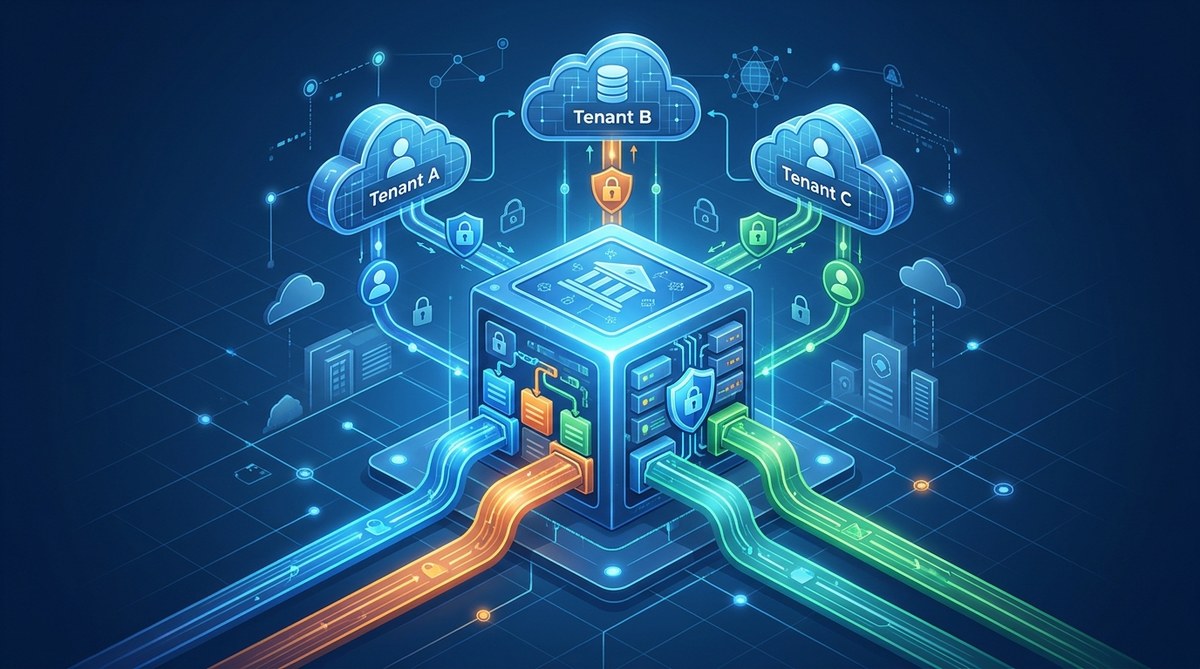
You are a technical founder. You have a great SaaS idea, and you want to ship it before your runway runs out. You know that a single database is the most cost-effective way to start, but the horror stories keep you up at night. You worry about one tenant accidentally seeing another tenant’s data. You worry about a single slow query taking down your entire application. You worry about migrations that break everything for everyone.
The good news is that these nightmares are completely avoidable. You can build a multi-tenant SaaS on a single database that is secure, performant, and easy to maintain. You just need the right patterns from day one.
A shared single database is the right choice for most early stage SaaS products. It keeps your ops simple and your costs low. The trick is enforcing strict tenant isolation at the query level, using connection pooling to prevent noisy neighbors, and adopting a migration strategy that never blocks production. This guide gives you the exact playbook to pull it off.
Why a Single Database Is Your Smartest Bet
Before we talk about the how, let’s be honest about the why. A database per tenant sounds clean on paper. Each customer gets their own sandbox. No risk of cross contamination. But in practice, it creates a nightmare for a solo founder or small team.
Think about it. You now need to run migrations across dozens or hundreds of databases. You need connection pools for each one. You need to manage backups for each one. Your deployment script becomes a fragile mess. And if you are pre product market fit, you are burning engineering time on ops instead of features.
A single shared database flips that around. One set of migrations. One connection pool to tune. One backup schedule. It is the cheapest and fastest way to get your first ten customers, your first hundred, and often your first thousand.
The Three Isolation Models
You have three main options for isolating tenant data inside a single database. Each one has trade offs.
| Model | Isolation Level | Migration Complexity | Query Performance | Best For |
|---|---|---|---|---|
| Shared Table (tenant_id) | Low | Low | Good with proper indexing | Early stage, most B2B SaaS |
| Shared Database, Separate Schema | Medium | Medium | Good | Mid market, compliance needs |
| Discriminator Column (Tenant + User) | Low | Low | Good | Simple apps, few queries |
The shared table approach using a tenant_id column is the most common and the one I recommend for 90% of indie founders. It is simple to implement, and you can always migrate to a separate schema or dedicated database later for your largest tenants.
How to Build It Without the Nightmares
Here is the step by step process to implement a shared table multi-tenant architecture that does not leak data or fall over.
-
Add a tenant context to every request. This is your foundation. As soon as a user authenticates, store their
tenant_idin the request scope. In Django, use a middleware that setsrequest.tenant. In Rails, useCurrent.tenant. In Node.js, useres.locals.tenant. This value must be set before any database query runs. -
Enforce tenant isolation at the ORM level. Never rely on developers remembering to add
.where(tenant_id: current_tenant). Instead, create a default scope or a base repository class that automatically filters by tenant. In Django, overrideget_queryseton your model manager. In Rails, usedefault_scope. In any framework, write a linter rule that flags queries missing a tenant filter. -
Use a connection pooler with statement limits. The noisy neighbor problem is real. One tenant runs a heavy report, and all other tenants slow down. A tool like PgBouncer or a built in pooler with statement timeout settings can cap the damage. Set a
statement_timeoutof 30 seconds in PostgreSQL. Any query that takes longer gets killed, protecting the rest of your tenants. -
Index everything by tenant_id. Your most important index is a composite index starting with
tenant_id. For example,(tenant_id, created_at). This ensures that queries for one tenant do not scan rows belonging to other tenants. RunEXPLAIN ANALYZEon your slowest queries and check for sequential scans. -
Write migrations that are additive, not destructive. Never run a migration that locks a table for hours. Instead, add columns as nullable first, backfill them in batches, and then make them required in a separate deployment. Use tools like
pt-online-schema-changeorgh-ostif you are on MySQL. For PostgreSQL, usepgrollor write migrations that avoidALTER TABLE ... ADD COLUMN NOT NULLwithout a default.
Expert advice: The most common mistake I see is skipping the tenant context middleware. Developers think “I will just remember to add the tenant_id filter.” They never do. Automate it. Your future self will thank you.
Common Mistakes That Cause Nightmares
Even with the right architecture, a few mistakes can ruin your day. Here is what to watch out for.
-
Forgetting to scope background jobs. Your web requests have a tenant context. Your background jobs often do not. A Sidekiq worker or a Celery task that runs a report for one tenant might accidentally run it for all tenants. Always pass the
tenant_idas an argument to the job and scope the query inside the job. -
Using SELECT * in application code. This one is subtle. If you
SELECT *from a table that has atenant_idcolumn, you are fine. But if you join across tables and forget to filter by tenant on the joined table, you can leak data. Always be explicit about your columns and your joins. -
Sharing database connections across tenants in tests. Your test suite should create a fresh tenant for each test and scope all queries to that tenant. If you share a connection across tests, you can get false positives where a test passes only because it accidentally reads data from a previous test.
When to Move Away from a Single Database
A single database works until it does not. Here are the signs that it is time to split.
- One tenant is using 80% of your database CPU.
- You are hitting connection limits on your database server.
- A compliance requirement (like HIPAA or SOC 2) demands physical data separation for certain tenants.
When you hit this point, do not rewrite the whole app. Move your largest tenant to a dedicated database first. You can do this by adding a database_url column to your tenants table and having your connection logic read it. This is called the hybrid model, and it lets you keep 99% of your code the same.
Your Action Plan for This Week
You do not need to wait for your next big rewrite. You can start fixing your multi-tenant architecture today.
- Audit your codebase for any query that does not include a
tenant_idfilter. Use a grep forModel.findorModel.objects.alland check the surrounding code. - Add a tenant context middleware if you do not have one. This is a one hour task that pays dividends forever.
- Set a statement timeout on your database. In PostgreSQL, run
ALTER SYSTEM SET statement_timeout = '30s'. Then reload the config. - Write a test that creates two tenants and verifies that data from tenant A is invisible to tenant B. Make this test run on every pull request.
Your Multi-Tenant Future Starts Now
Building a multi-tenant SaaS on a single database does not have to be a source of anxiety. It is a well understood pattern that powers some of the largest SaaS companies in the world. The key is to enforce isolation at the right layer, automate your safeguards, and plan your migrations carefully.
If you are still in the early stages, the shared table approach with a tenant_id column is your best path forward. It keeps your architecture simple, your costs low, and your velocity high. And when you do need to scale, you have a clear upgrade path that does not require a full rewrite.
Start with the action plan above. Your database will thank you. Your users will never know the difference. And you will sleep better at night knowing that your tenants are isolated, your queries are fast, and your migrations are safe.
For more on setting up your overall architecture, check out our guide on designing a scalable architecture for your indie SaaS from the ground up. And if you are worried about other common pitfalls, read about the 7 database design mistakes that will haunt your SaaS later.