You are a product manager at a B2B SaaS company. You have a great idea for a new feature. It could solve a real pain point for your users. But there is a problem. To build it, you need to touch the production database. That feels risky. One wrong query and you could corrupt customer data. A slow migration could cause downtime. Your heart sinks a little.
You do not have to live with that fear. You can build a SaaS feature without touching your production database. In fact, doing so is a sign of a mature engineering practice. It lets you prototype, test, and validate ideas without putting your live service at risk. This guide will show you exactly how to do it.
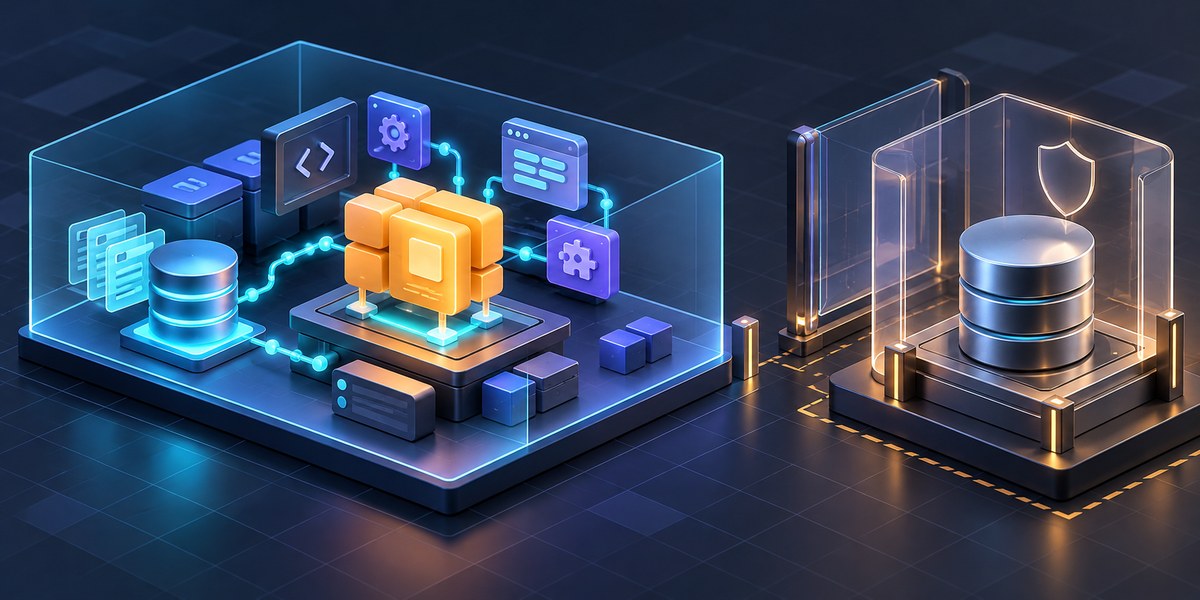
Building features without risking your production database is possible using four main techniques: seeding a staging environment with synthetic data, using feature flags to hide incomplete code, mocking external service responses, and running database migrations against a read replica or clone. Each method protects live data while letting you move fast.
Why Your Production Database Deserves a Safety Barrier
Your production database is the beating heart of your SaaS. It stores customer names, payment details, usage patterns, and everything else that makes your product work. Touching it directly during feature development is like performing heart surgery while the patient is running a marathon. It is dangerous.
When you build a SaaS feature without touching your production database, you get several benefits. You eliminate the risk of data corruption from experimental queries. You avoid accidental downtime caused by slow schema changes. You can reset your data state in seconds if something goes wrong. And you give yourself the freedom to iterate without fear.
The Four Pillars of Safe Feature Development
There are four main techniques you can use to build a new feature safely. You do not need to use all of them at once. Pick the ones that fit your current situation.
1. Seed a Staging Environment with Realistic Data
The most straightforward approach is to create a staging environment. This is a separate database that mirrors your production schema but contains no real customer data. Instead, you fill it with synthetic data that looks real.
- Generate fake user profiles with libraries like Faker.
- Create realistic usage patterns using anonymized aggregates.
- Include edge cases like null values, empty strings, and very long names.
- Test with a data volume that matches your production scale.
A well seeded staging environment lets you test every code path without fear. You can run destructive queries. You can corrupt data on purpose to test your error handling. And when you are done, you can reset the whole thing in seconds.
2. Use Feature Flags to Hide Incomplete Code
Feature flags are a powerful tool for decoupling deployment from release. You can merge code that interacts with the database into your main branch without activating it for users. The flag stays off until you are ready.
This technique is especially useful when your new feature requires schema changes. You can run the migration in production but keep the new columns hidden behind a flag. If something goes wrong, you roll back the flag, not the database.
3. Mock External Services and Database Responses
When your feature calls external APIs or runs complex database queries, you can mock those interactions. Instead of hitting the real database, your code talks to a simulated version that returns predictable responses.
Mocking is perfect for unit tests and integration tests. It lets you verify that your feature handles success, failure, timeout, and error conditions correctly. You never touch the real database, and your tests run in milliseconds.
4. Work Against a Read Replica or Clone
If you need to test against production scale data without risking writes, use a read replica. This is a copy of your production database that stays in sync but cannot be written to. You can run your feature against it to check performance and query correctness.
For features that do require writes, create a clone. Many database services let you spin up a point in time copy in minutes. You can write to it freely, break things, and delete it when you are done.
A Practical Process for Building a Feature Safely
Here is a step by step process you can follow the next time you need to build a SaaS feature without touching your production database.
- Define the data requirements. List every table and column your feature will read or write. Note the expected data volume and query patterns.
- Choose your isolation method. Decide if you need a staging database, a clone, a read replica, or just mocks. Your choice depends on whether your feature writes data and how much data it processes.
- Set up your environment. Run the database setup scripts. Seed it with synthetic data. Apply any schema changes to the isolated environment only.
- Implement the feature. Write your code against the isolated database. Test every edge case. Use feature flags to guard any code that will eventually touch production.
- Run your tests. Execute your unit tests, integration tests, and performance tests against the isolated data. Verify that your feature behaves correctly under load.
- Review the migration plan. If your feature requires a production schema change, write the migration script now. Test it against your staging environment first.
- Deploy with the flag off. Merge your code and run the migration against production. Keep the feature flag disabled. Verify that the migration completed without errors.
- Enable the flag gradually. Turn on the feature for a small subset of users. Monitor logs and error rates. If everything looks good, roll it out to everyone.
Common Mistakes and How to Avoid Them
Even experienced developers make mistakes when isolating database work. Here is a table of common pitfalls and their solutions.
| Mistake | Why It Happens | How to Avoid It |
|---|---|---|
| Staging data is too clean | Synthetic data generators often miss edge cases | Intentionally add nulls, duplicates, and boundary values |
| Feature flag is not removed | Flags accumulate and cause code bloat | Schedule a cleanup task in your sprint |
| Clone is out of sync | Point in time clones grow stale | Refresh the clone before each major test run |
| Mocks are too perfect | Mocked responses never fail | Add failure scenarios to your mock configurations |
| Migration is not tested | Schema changes can silently break queries | Run the migration against staging first |
When to Skip Isolation (And When Not To)
There are rare situations where touching production directly makes sense. For example, if you are fixing a critical security vulnerability and the fix is a single line change. Or if you are running a one time data migration that cannot be replicated.
But for most feature work, isolation is the right call. If you are adding a new API endpoint, building a reporting dashboard, or integrating a third party service, keep your hands off the production database. Your future self will thank you.
“The safest database operation is the one you never run. If you can build and test a feature without touching production data, you eliminate an entire category of risk. This is not just about preventing disasters. It is about giving yourself the freedom to experiment and learn.” – A senior engineer at a fast growing B2B SaaS company
Tools and Services That Make This Easy
You do not need to build everything from scratch. Several tools can help you build a SaaS feature without touching your production database.
- Database cloning tools: Services like Neon, PlanetScale, and AWS RDS snapshots let you create database clones in minutes.
- Data generation libraries: Faker (Python), Faker.js, and Factory Bot create realistic test data.
- Feature flag services: LaunchDarkly, Unleash, and Flagsmith manage feature flags without code changes.
- Mocking frameworks: Mockito (Java), unittest.mock (Python), and Jest mocks (JavaScript) simulate database responses.
- Migration tools: Flyway, Liquibase, and Alembic let you version control your schema changes.
For more on choosing the right foundation for your product, read our guide on how to build a SaaS MVP in 30 days without burning out. It covers the full development lifecycle from idea to launch.
Your Turn to Build Without Fear
The next time you sit down to build a new feature, pause before you reach for the production database. Ask yourself: can I isolate this work? Can I test it against synthetic data? Can I hide it behind a flag?
The answer is almost always yes. And when you commit to building features this way, you unlock a superpower. You can iterate faster. You can experiment with bold ideas. You can break things on purpose to learn. And you never have to worry about waking up to a support ticket about corrupted customer data.
Start with your next feature. Set up a staging database. Write a migration script. Deploy behind a feature flag. Your production database will stay safe, and your confidence will grow with every release.
If you are still deciding on your overall architecture, check out our comparison of should you build your SaaS with a monolith or microservices to see how this approach fits into different system designs.
Happy building. Your users will never know you kept their data safe. But you will.