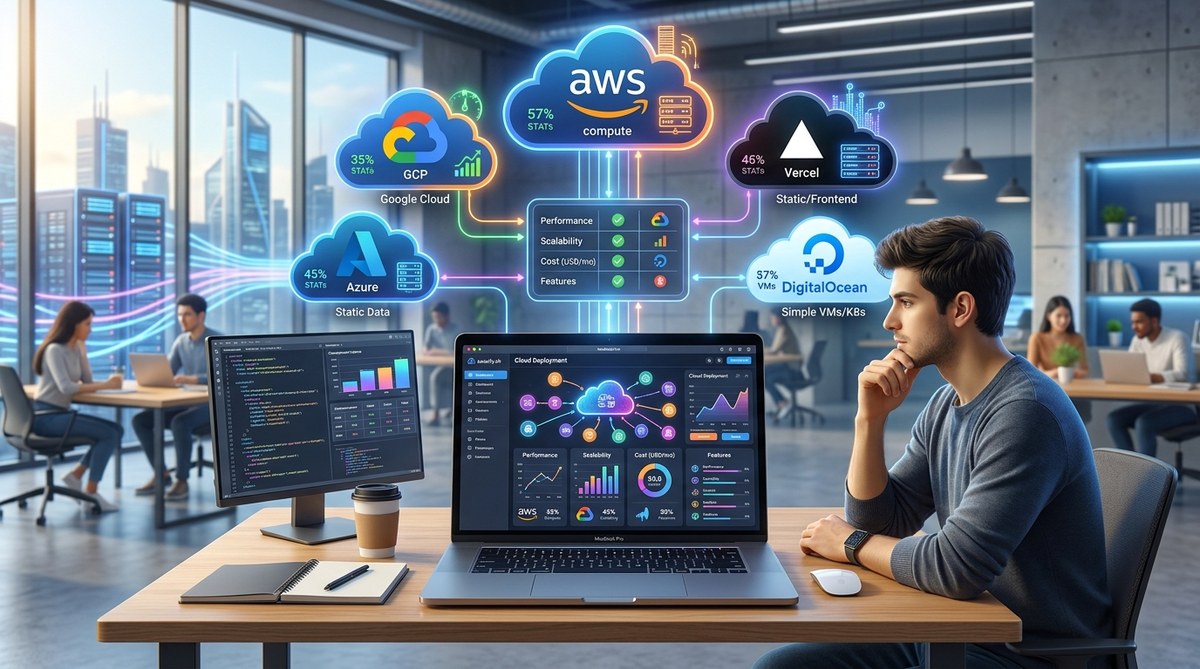
Choosing the right cloud host for your indie SaaS can feel like picking a co‑founder. Get it wrong, and you waste money, time, and sleep. In 2026, the landscape is crowded but there are clear winners for small teams who need to launch fast, scale gradually, and keep costs under control. This guide breaks down the best cloud hosting for indie SaaS in 2026 straight from the trenches.
For most indie SaaS founders in 2026, the smartest starting point is DigitalOcean or Hetzner. They offer predictable pricing, solid performance, and straightforward scaling. AWS and GCP are overkill until you hit tens of thousands of users. Vultr and Railway are great alternatives depending on your stack. The key is to pick a platform that lets you focus on building, not babysitting servers.
What actually matters when choosing cloud hosting for your indie SaaS
For a solo founder or a two‑person team, the best cloud hosting isn't the one with the most services. It's the one that keeps your monthly bill low, your deployment simple, and your users happy. Here are the real criteria you should care about in 2026.
Cost predictability
Surprise bills are the enemy. Hyperscalers like AWS can cost you $200 one month and $2,000 the next if you misconfigure an auto‑scaling rule. Indie founders need hosts that offer fixed‑price droplets, nodes, or virtual machines. You can always upgrade later.
Simplicity of deployment
The best cloud hosting for indie SaaS is one that lets you push code without becoming a DevOps expert. Platforms with one‑click apps, managed databases, and clear documentation save you hours every week.
Performance for the price
You don't need enterprise‑grade infrastructure at launch. You need enough CPU and RAM to serve a few hundred concurrent users smoothly. European providers like Hetzner give you incredible hardware for half the cost of US rivals.
Ecosystem and add‑ons
Managed databases, object storage, load balancers, and monitoring should be available without a credit card deposit. The best cloud hosting platforms for indie SaaS in 2026 bundle these neatly.
Scalability path
Your host should let you start with a $6 droplet and grow to a $100 cluster without migrating providers. That seamless path is worth more than any discount.
The top cloud hosting platforms for indie SaaS in 2026
Here's who we recommend after testing dozens of setups with real indie projects.
| Provider | Starting Price (per month) | Best For | Weakness |
|---|---|---|---|
| DigitalOcean | $6 (basic droplet) | Simplicity, predictable billing, tutorials | Compute specs lower than Hetzner per dollar |
| Hetzner | $4 (CX22) | Best raw performance for the price | Limited managed services, interface can feel basic |
| Vultr | $6 (cloud compute) | Global datacenter locations, bare metal options | Support can be slow on lower tiers |
| Railway | $5 (developer plan) | Zero‑config deployment, perfect for side projects | Gets expensive as you scale beyond a few services |
| AWS Lightsail | $5 (instance) | Familiarity with AWS ecosystem, easy upgrades | Still complex once you leave Lightsail's guardrails |
Each of these qualifies as a candidate for the best cloud hosting for indie SaaS in 2026. Let's unpack why.
DigitalOcean: The reliable workhorse
If you're an indie founder who just wants things to work, DigitalOcean is your best bet. Their App Platform abstracts away servers entirely, and their standard droplets are rock solid. I've run a production SaaS on a $12 droplet for over a year with zero downtime.
What to watch: Their network and disk I/O are good, not great. If your app is CPU‑heavy, Hetzner gives you more for less.
Hetzner: The value champion
Hetzner has been the hidden gem of indie devs for years. In 2026, they offer AMD EPYC and Intel Xeon instances that outperform DigitalOcean at half the price. Their Nuremberg and Helsinki datacenters are well‑connected to the US via peering.
What to watch: You'll need to handle your own managed database or use a separate service like Aiven. Their panel is functional but not pretty.
Vultr: The globalist
Vultr has the most datacenter locations of any budget provider. If your user base is spread across continents, you can spin up instances in Tokyo, London, or São Paulo instantly. Their block storage and bare metal options are strong.
What to watch: Their support isn't as helpful as DigitalOcean's community resources. You'll be more on your own.
Railway: The deployment shortcut
Railway is great for founders who want to focus on product over plumbing. Connect your GitHub repo, pick a template, and you're live. It's ideal for MVPs and early‑stage experiments.
What to watch: Pricing scales unpredictably with memory and database usage. For a serious SaaS with hundreds of users, Railway can cost more than a VPS.
AWS Lightsail: The gateway drug
If you plan to eventually move to full AWS, Lightsail gives you a simple on‑ramp. It offers fixed‑price plans with predictable pricing and easy upgrades to EC2 later.
What to watch: The managed database options are limited compared to RDS. You'll hit ceilings faster than with the other providers.
How to choose: a step‑by‑step framework
Here's a practical process I've used with several indie founders to pick the right host.
-
Estimate your first 6 months of traffic. Be realistic. Most SaaS apps see a few hundred visitors a day at launch. A 2‑CPU, 4GB RAM server handles that comfortably.
-
Pick your stack first. If you're using Node.js and PostgreSQL, look for hosts with managed Postgres and one‑click Node apps. DigitalOcean and Railway both excel here. If you're using Laravel, Vultr's pre‑configured images save time.
-
Check datacenter locations. Your users are in the US. Choose a host with a US‑based datacenter (New York, San Francisco, Dallas). Avoid routing through Europe if your primary audience is American.
-
List your must‑have add‑ons. Do you need a managed Redis cache? Object storage for file uploads? Automated backups? Compare what each provider offers included in the base price.
-
Run a 30‑day trial with your actual code. Most providers give you credit or low‑cost trials. Deploy your current app and monitor latency, response times, and cost under real load.
-
Make the call and commit. Switching hosts later is annoying but doable. Pick one, launch, and move on. You can always migrate when you hit your first 5,000 active users.
For more details on building and launching your MVP, check out how to build a SaaS MVP in 30 days without burning out.
Common mistakes indie founders make when picking a host
- Over‑engineering from day one. You don't need Kubernetes or auto‑scaling for your first 100 users. Start simple.
- Ignoring the hidden costs. Data transfer, backups, and snapshot storage add up. A $5 droplet can become $25 once you turn on all the extras.
- Choosing based on a friend's recommendation without testing. Your stack and traffic pattern may differ.
- Forgetting about database performance. Most indie apps crash not because the web server is weak, but because the database is undersized. Choose a host that offers managed databases or easy vertical scaling on your DB instance.
- Waiting too long to migrate. If you outgrow your host, move. It's easier than spending weeks optimising around a bad fit.
A real‑world example: from MVP to 1,000 users
I mentored a founder building a project management tool for small agencies. They started on Railway because it was free for the first project. Within two months they had 50 paying users and the bill hit $80. They migrated their backend to a $10 DigitalOcean droplet and moved the database to a $15 managed Postgres instance. The total monthly cost went from $80 to $25, and performance improved.
That's the kind of pivot you want to make early. Don't lock yourself into a platform that penalises success.
"The best cloud hosting for indie SaaS is the one you can set up in 30 minutes and then forget about for six months. Your users don't care where you're hosted. They care about speed and reliability. Pick something boring and well‑supported." — veteran indie dev, 2026
How to migrate between providers without downtime
Switching hosts sounds scary, but it's standard these days. Here's the playbook:
- Set up your new server with the exact same specs and OS version.
- Replicate your database using a dump or replication tool.
- Update your DNS records with a low TTL (60 seconds) a day before.
- Swap DNS to the new IP during low traffic hours.
- Monitor logs and error rates for 48 hours before decommissioning the old server.
Most providers have migration guides. DigitalOcean's documentation on migrating from Vultr is excellent.
If you're still deciding between architectures, our guide on building a scalable architecture for your indie SaaS from the ground up can help you choose a setup that makes migration painless.
Your next move after choosing your host
Once your infrastructure is sorted, the real work begins. Here are three things to tackle next:
- Set up monitoring and alerts. Use UptimeRobot or a self‑hosted Grafana instance to know immediately when something breaks.
- Automate backups. Every major cloud host offers automated snapshots. Turn them on. Losing data is worse than any outage.
- Write a deployment runbook. Document how you push code, roll back, and scale. It will save you hours when you're stressed at 2 AM.
For more guidance on launching your SaaS, read the 30‑day pre‑launch marketing plan for solo developers and how to create a launch day runbook that prevents last‑minute chaos.
The best cloud hosting for indie SaaS in 2026 isn't a magic bullet. It's a solid, affordable platform that gets out of your way. DigitalOcean, Hetzner, Vultr, Railway, and Lightsail all fit the bill for different situations. Start with one, build your product, and iterate.
You've got a product to launch and users to serve. Pick a host, push your code, and go make something people need.