
Running a SaaS solo means wearing every hat. Developer, marketer, support agent, accountant. The list never ends. Most founders spend 60% of their week on repetitive tasks that don’t move the needle. Email responses. Meeting scheduling. Social media posts. Invoice chasing. These tasks drain energy and steal time from building features customers actually want.
Automation tools help indie SaaS founders reclaim 10+ hours weekly by eliminating repetitive tasks across customer support, scheduling, marketing, and operations. The right stack of five to seven tools can automate 40-60% of daily workflows, letting you focus on product development and growth. Most tools offer free tiers perfect for bootstrapped founders testing their impact before committing budget.
Why Automation Matters More for Solo Founders
Big companies hire teams to handle operations. You don’t have that luxury.
Every hour spent manually onboarding users is an hour not improving your product. Every morning lost to email triage is a morning that could have gone toward customer conversations or feature development.
The math is brutal. If you’re billing $100/hour for consulting but spending 15 hours weekly on $10/hour tasks, you’re losing $1,350 in opportunity cost every week. That’s $70,200 annually.
Automation tools flip this equation. They handle the $10/hour work while you focus on the $100/hour decisions that actually grow revenue.
The Five Categories That Matter Most
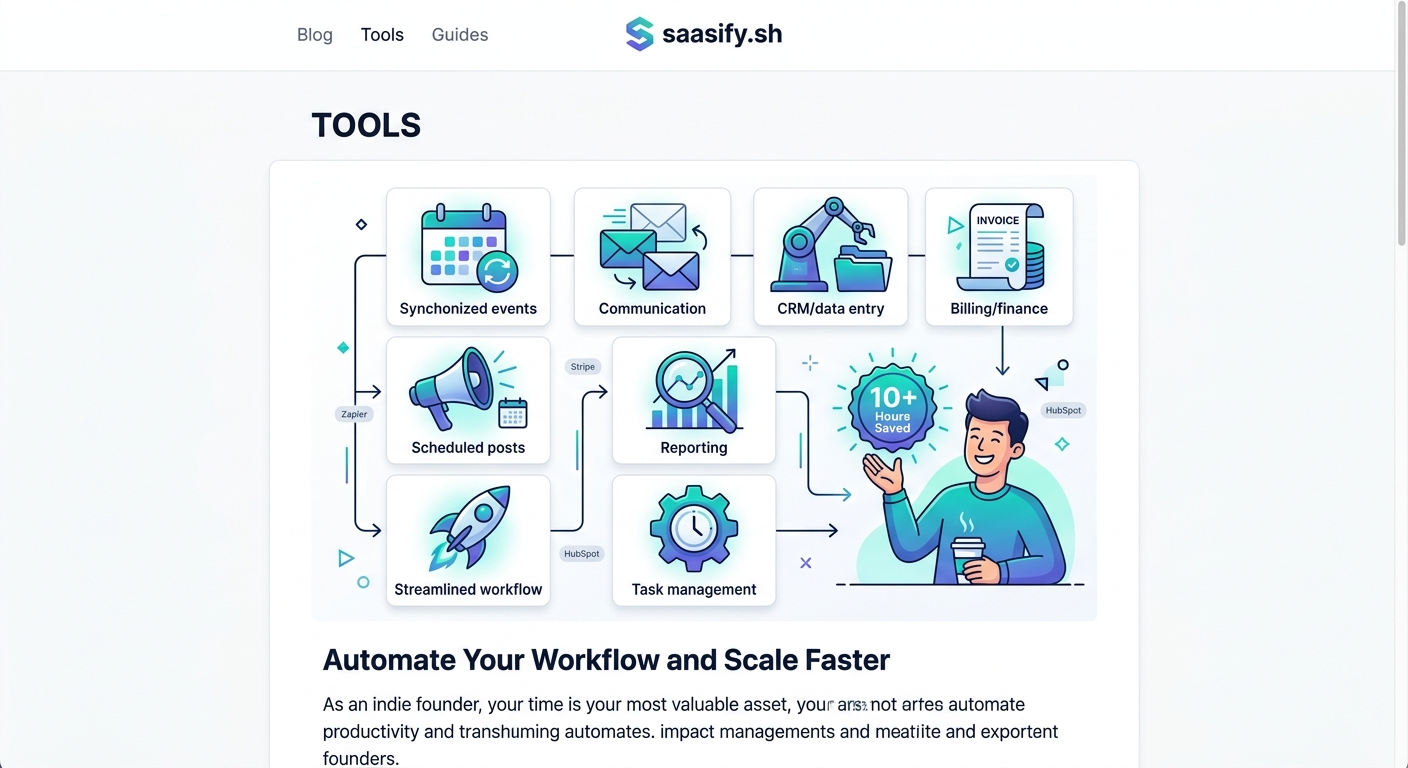
Not all automation is created equal. Some tools save minutes. Others save entire days.
Focus on these five categories first:
- Workflow automation connects your apps and moves data automatically
- Communication automation handles scheduling, responses, and follow-ups
- Marketing automation manages email campaigns, social posts, and lead nurturing
- Customer support automation answers common questions and routes complex issues
- Financial automation tracks expenses, sends invoices, and reconciles payments
Start with workflow automation. It’s the foundation that makes everything else possible.
Workflow Automation Platforms That Connect Everything
Zapier
Zapier connects over 6,000 apps without writing code. You create “Zaps” that trigger actions across your tools.
When someone fills out your waitlist form, Zapier can add them to your email list, create a CRM contact, send a Slack notification, and log the lead in a spreadsheet. All automatically.
The free plan includes 100 tasks monthly. Perfect for testing automations before scaling up.
Most useful Zaps for SaaS founders:
- New Stripe payment → Send welcome email + Add to customer spreadsheet
- Support ticket created → Post to Slack + Create Notion task
- New blog post published → Share to Twitter, LinkedIn, and Facebook
- Trial ending soon → Send reminder email + Notify sales channel
- Form submission → Add to CRM + Send to webhook + Update dashboard
Make (formerly Integromat)
Make offers more control than Zapier with visual workflow builders. Better for complex automations that need conditional logic.
The interface shows exactly how data flows between apps. You can add filters, routers, and transformations that would require multiple Zaps.
Free tier includes 1,000 operations monthly. Operations are individual actions, so one automation might use 3-5 operations.
Use Make when you need:
- Multi-step workflows with branching logic
- Data transformation between apps
- Error handling and retry logic
- Scheduled batch processing
- API calls to custom endpoints
n8n
n8n is open source and self-hosted. You own your data and pay nothing for operations.
The learning curve is steeper than Zapier or Make. But if you’re technical, n8n offers unlimited automation potential without recurring costs.
Perfect for founders who want to build their MVP with full control over their automation stack.
Communication Tools That Eliminate Calendar Chaos
Calendly
Calendly replaces the “when are you free?” email tennis match with a booking link.
Set your availability once. Share your link. People book themselves. Calendly syncs with your calendar, sends reminders, and handles timezone conversions automatically.
The free plan supports one event type. Paid plans start at $10/month and add team scheduling, payment collection, and workflow automations.
Time saved: 3-5 hours weekly on scheduling alone.
SavvyCal
SavvyCal improves on Calendly with ranked availability and overlay scheduling. Instead of showing a grid of times, it highlights your preferred slots while still offering alternatives.
The overlay feature lets prospects view their calendar alongside yours. No more double-booking because they forgot about another meeting.
Starts at $12/month. Worth it if you take 5+ meetings weekly.
Marketing Automation for Consistent Growth
ConvertKit
ConvertKit automates email sequences based on subscriber behavior. Someone downloads your lead magnet? They enter a nurture sequence. They click your pricing page? They get a different sequence focused on conversion.
The visual automation builder makes it easy to create complex email funnels without technical skills. Tag subscribers, segment lists, and personalize content based on actions.
Free up to 1,000 subscribers. After that, pricing scales with list size.
Use ConvertKit to:
- Welcome new subscribers with your best content
- Nurture trial users toward paid conversion
- Re-engage inactive customers with win-back campaigns
- Promote new features to relevant segments
- Build your first 1,000 email subscribers systematically
Buffer
Buffer schedules social media posts across platforms from one dashboard. Write a week’s worth of content in one sitting, schedule it, and forget about it.
The free plan supports three social channels with 10 scheduled posts each. Paid plans add analytics, team collaboration, and unlimited scheduling.
Time saved: 4-6 hours weekly on social media management.
Create a content calendar template. Batch-create posts every Monday. Let Buffer handle distribution while you focus on product work.
Customer Support Automation That Scales
Intercom
Intercom combines live chat, help desk, and automation in one platform. The chatbot answers common questions instantly. Complex issues get routed to you with full context.
Custom bots can:
- Qualify leads before starting conversations
- Collect information before creating support tickets
- Guide users through common troubleshooting steps
- Schedule demos without human involvement
- Update users on feature requests and bug fixes
Starts at $74/month. Expensive for early-stage founders, but worth it once you’re handling 50+ support conversations weekly.
Crisp
Crisp offers similar features to Intercom at a lower price point. Free plan includes live chat, shared inbox, and basic automation.
The chatbot builder is simpler than Intercom but covers 80% of use cases. Perfect for bootstrapped founders who need support automation without the premium price tag.
Paid plans start at $25/month and add advanced automation, video calls, and CRM features.
Financial Automation That Saves Month-End Chaos
Wave
Wave provides free accounting software for small businesses. Automatic bank syncing, invoice creation, receipt scanning, and financial reports.
No monthly fee. Wave makes money on payment processing and payroll services (which you can skip).
Connect your business bank account. Wave categorizes transactions automatically. Review and approve monthly. Export reports for tax time. Done.
Time saved: 2-4 hours monthly on bookkeeping.
Xero
Xero costs $13-70/month but offers more power than Wave. Better for SaaS businesses with recurring revenue, multiple income streams, or international customers.
Automatic bank reconciliation, invoice reminders, expense tracking, and integration with 1,000+ business apps. The revenue dashboard features help you track MRR, churn, and cash flow in real time.
Xero connects with Stripe, PayPal, and other payment processors. Revenue flows in automatically. You see financial health at a glance without manual data entry.
Comparing Automation Approaches
| Automation Type | Time Saved Weekly | Setup Time | Best For |
|---|---|---|---|
| Workflow automation | 4-6 hours | 2-4 hours initially | Connecting apps and moving data |
| Communication automation | 3-5 hours | 1-2 hours | Scheduling and meeting coordination |
| Marketing automation | 4-6 hours | 3-5 hours | Email sequences and social media |
| Support automation | 3-8 hours | 2-3 hours | Answering common customer questions |
| Financial automation | 2-4 hours monthly | 1-2 hours | Bookkeeping and invoicing |
The setup time pays back in the first week. After that, it’s pure time savings every week.
Common Automation Mistakes to Avoid
Founders often automate the wrong things first.
Don’t automate processes that aren’t working manually. Fix the process, then automate it. Automating a broken workflow just creates broken results faster.
Don’t over-automate customer interactions. People can tell when they’re talking to a bot. Use automation for simple questions and routing. Keep humans involved for complex issues and sales conversations.
Don’t set up automations and forget them. Review monthly. What’s working? What’s creating more work? What needs adjustment?
“The best automation is invisible. It should feel like magic to your customers and relief to you. If your automation creates friction or confusion, you’ve automated the wrong thing.” — Nathan Barry, founder of ConvertKit
Building Your Automation Stack in Three Phases
Phase 1 focuses on immediate time savings. Start here:
- Set up Calendly or SavvyCal for meeting scheduling
- Connect Zapier to automate one repetitive task
- Install a support chat tool with basic automation
- Automate your most common email responses
This phase takes 4-6 hours to implement and saves 5-8 hours weekly.
Phase 2 builds on the foundation:
- Create email automation sequences in ConvertKit
- Schedule social media content with Buffer
- Add financial automation with Wave or Xero
- Build 3-5 additional Zapier workflows
This phase takes another 6-8 hours but saves 10-15 hours weekly.
Phase 3 optimizes and scales:
- Replace simple Zaps with more complex Make workflows
- Add conditional logic to support automation
- Segment email lists for targeted campaigns
- Build custom integrations for your specific needs
This phase is ongoing. You’ll continually find new automation opportunities as your SaaS grows.
Choosing Tools Based on Your Growth Stage
Pre-launch founders should stick with free tiers. You’re validating your idea, not scaling operations. Use Zapier’s free plan, Wave for accounting, and basic support chat.
Early traction (1-10 customers) justifies paid automation tools. Invest in email automation and better workflow tools. Your time becomes more valuable as revenue grows.
Scaling (10-100 customers) requires robust automation across all categories. You can’t manually support 50 customers while building features and marketing. This is when tools like Intercom and Make become essential investments.
Measuring Automation ROI
Track time saved before and after implementing each tool. Use a simple spreadsheet:
- Tool name
- Monthly cost
- Hours saved weekly
- Dollar value of time saved
- Net benefit
If a $50/month tool saves 5 hours weekly and your time is worth $100/hour, that’s $2,000 in monthly value for $50 in cost. 40x ROI.
Cut tools that don’t deliver clear time savings. Some automation sounds great but creates more work than it saves.
The Automation Mindset Shift
Stop thinking about doing everything yourself. Start thinking about building systems that work without you.
When you catch yourself doing something for the third time, automate it. The first time teaches you the process. The second time confirms the pattern. The third time is waste.
This mindset applies whether you’re pricing your product or choosing your launch strategy. Build systems, not tasks.
Automation isn’t about being lazy. It’s about being strategic with your most limited resource: time.
Starting Your Automation Journey Today
Pick one category from this guide. The one that wastes the most time right now.
For most founders, that’s either scheduling or support. Both have free tools you can implement this afternoon.
Set up Calendly. Replace “when are you free?” emails with a booking link. That’s 3 hours back this week.
Or install Crisp. Create three automated responses to your most common support questions. That’s another 2-4 hours saved.
Don’t try to automate everything at once. Start small. Prove the value. Then expand.
The goal isn’t perfect automation. The goal is freeing up enough time to work on what actually matters: building a product people love and growing revenue.
Your SaaS won’t succeed because you’re great at scheduling meetings or answering the same support question 50 times. It’ll succeed because you focus on the work that only you can do. Automation makes that possible.