
Your first user just signed up. They’re waiting for a confirmation email that never arrives.
You check your logs. The email sent. Or did it? Your shared hosting provider’s SMTP server flagged it as spam. Now that user thinks your product is broken before they even logged in.
This happens more than you’d think. Transactional emails are the invisible backbone of every SaaS product. Password resets, welcome sequences, billing receipts, activity notifications. When they fail, your entire user experience crumbles.
The best transactional email service for micro SaaS balances deliverability, developer experience, and cost. SendGrid and Mailgun offer generous free tiers for early-stage products. Postmark excels at deliverability with simple pricing. Amazon SES provides the lowest cost at scale but requires more technical setup. Your choice depends on monthly volume, technical comfort, and whether you need advanced analytics or just reliable delivery.
Why transactional emails make or break user trust
Transactional emails aren’t marketing. They’re functional messages users expect immediately after taking an action.
A user resets their password at 2 AM. They need that email in seconds, not minutes. If it takes five minutes or lands in spam, they’ll assume your product is amateur.
These emails directly impact your core metrics. Failed confirmation emails mean users can’t activate accounts. Delayed billing receipts create support tickets. Bounced password resets lock people out of your product.
Your regular email account won’t cut it. Gmail limits you to 500 emails per day. Your hosting provider’s SMTP has terrible deliverability rates. ISPs treat bulk emails from shared servers as spam by default.
You need a dedicated transactional email service. These providers maintain sender reputation, handle bounce management, provide detailed analytics, and ensure your emails actually reach inboxes.
What actually matters when choosing a provider
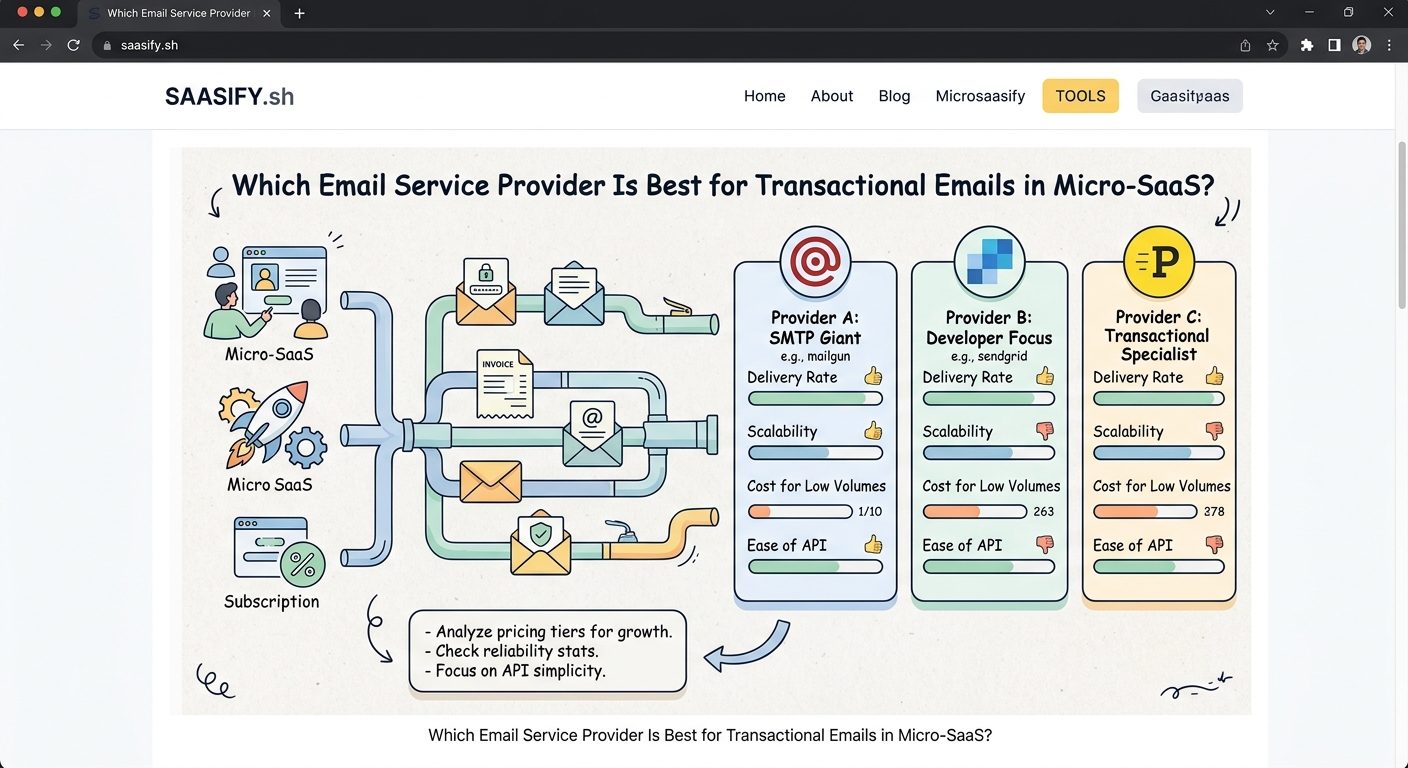
Deliverability comes first. An email service is worthless if messages don’t reach inboxes.
Look for providers with established sender reputations. They maintain relationships with ISPs, monitor blacklists, and handle authentication protocols like SPF, DKIM, and DMARC automatically.
Developer experience matters when you’re building solo. You’ll integrate this service during your MVP build phase, so clear documentation and simple APIs save hours of frustration.
Pricing structure affects your runway. Some providers charge per email. Others tier by monthly volume. A few offer generous free tiers that work perfectly for early validation.
Analytics help you improve. Open rates, click tracking, and bounce categorization tell you if users engage with your emails. Detailed logs help debug delivery issues before they become support nightmares.
Scalability prevents future migration headaches. Switching email providers after launch means updating DNS records, testing deliverability, and risking temporary disruption. Choose something that grows with you.
Comparing the top providers for micro SaaS
| Provider | Free Tier | Pricing Model | Best For | Main Drawback |
|---|---|---|---|---|
| SendGrid | 100/day | Volume tiers | Early validation | Complex pricing at scale |
| Mailgun | 5,000/month | Pay per email | Flexible growth | Steeper learning curve |
| Postmark | 100/month | Server-based | Premium deliverability | Higher cost per email |
| Amazon SES | 62,000/month* | Pay as you go | High volume | Requires AWS knowledge |
| Resend | 3,000/month | Volume tiers | Modern DX | Newer, less proven |
*When sent from EC2 instances
SendGrid gives you room to test
SendGrid’s free tier sends 100 emails per day forever. That’s 3,000 emails per month without paying anything.
Perfect for early validation. You can build your pre-launch waitlist, send confirmation emails, and test your flows before committing budget.
Their API is straightforward. The official libraries support every major language. Most frameworks have SendGrid integrations already built.
The dashboard provides clear analytics. You’ll see delivery rates, opens, clicks, and bounces in real time. Their suppression management handles unsubscribes and bounces automatically.
Pricing gets complicated at scale. Once you exceed the free tier, you jump to $15 per month for 40,000 emails. The next tier is $60 for 100,000. Not terrible, but the jumps feel steep.
Their marketing email features create interface clutter. You’ll navigate past campaign builders and audience segmentation tools you don’t need just to check transactional logs.
Mailgun balances flexibility and cost
Mailgun offers 5,000 emails per month free for three months, then switches to pay-as-you-go pricing.
After the trial, you pay $0.80 per 1,000 emails. Simple math. If you send 10,000 emails monthly, you pay $8. At 50,000 emails, you pay $40.
The API feels more technical than SendGrid. Documentation assumes you understand email protocols. Good for developers who want granular control. Frustrating if you just want emails to work.
Their EU region option matters for GDPR compliance. You can route all email through European servers, keeping user data within the EU.
Mailgun’s logs are incredibly detailed. You can trace every email through their system, see every SMTP handshake, and debug delivery issues at the protocol level.
The interface feels dated. It works fine, but the design hasn’t been updated in years. Not a dealbreaker, but noticeable compared to newer services.
Postmark prioritizes deliverability above all
Postmark doesn’t offer a free tier. You start at $15 per month for 10,000 emails.
That might sound expensive, but their deliverability rates justify the cost. They maintain strict sending policies, monitor reputation obsessively, and publish their delivery stats publicly.
Their entire focus is transactional email. No marketing features. No audience segmentation. Just reliable delivery of important messages.
The API is clean and well-documented. Their Ruby, Python, Node, and PHP libraries feel native to each language. Error messages are actually helpful.
Postmark’s support is exceptional. Real humans respond to questions. They help debug delivery issues. They’ll review your email templates and suggest improvements.
The message retention is generous. They store your email logs for 45 days on all plans. Helpful when tracking down that support ticket from three weeks ago.
Their pricing scales linearly. 10,000 emails costs $15. 50,000 costs $50. 100,000 costs $80. Predictable budgeting as you grow.
Amazon SES offers unbeatable economics at scale
Amazon SES costs $0.10 per 1,000 emails. That’s 10x cheaper than most alternatives.
If you send from an EC2 instance, the first 62,000 emails per month are completely free. After that, you still pay just $0.10 per thousand.
The catch is complexity. SES requires AWS knowledge. You’ll configure IAM roles, set up SNS for bounce handling, and manage your own sending reputation.
No web dashboard by default. You’ll use the AWS Console, which feels overwhelming if you’re not familiar with Amazon’s ecosystem. Third-party tools like SES Dashboard help but add complexity.
Deliverability is good but requires active management. You start in sandbox mode with strict sending limits. You’ll request production access, warm up your sending reputation, and monitor bounce rates yourself.
SES makes sense at high volume. If you’re sending hundreds of thousands of emails monthly, the cost savings become significant. Below 50,000 emails, the operational overhead probably isn’t worth it.
Resend brings modern developer experience
Resend launched recently with a focus on developer experience. Their free tier includes 3,000 emails per month.
The API feels modern. Built-in React email templates. TypeScript support. Webhook signatures for security. Everything a developer in 2026 expects.
Their dashboard is clean and fast. No legacy marketing features cluttering the interface. Just transactional emails and the analytics that matter.
They’re less proven than established providers. Shorter track record. Smaller team. Less documentation of edge cases.
Pricing is competitive. After the free tier, you pay $20 per month for 50,000 emails. Comparable to SendGrid but with better developer experience.
Their template system stands out. You can build emails in React components, preview them in the browser, and version control them with your code. Much better than editing HTML strings.
How to choose based on your situation
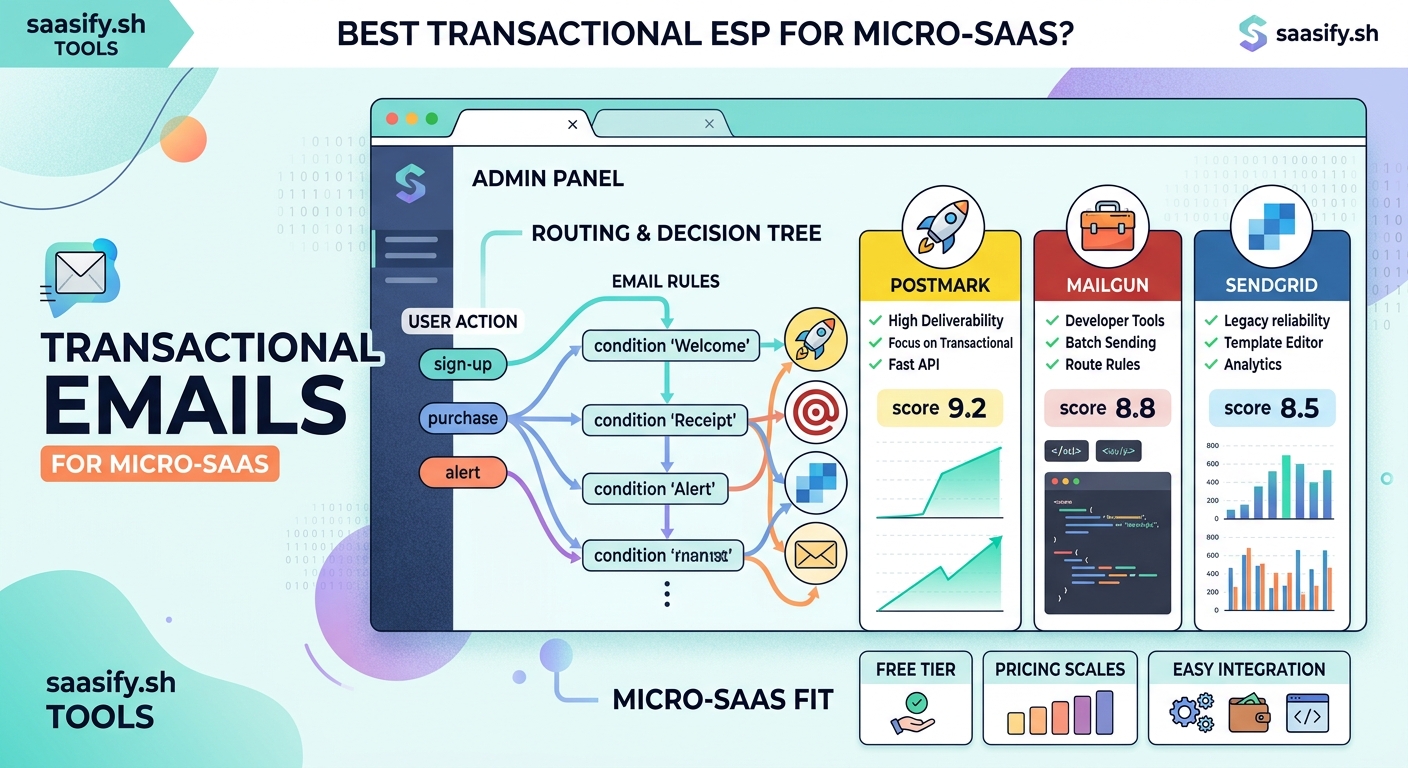
Start with your monthly volume estimate. Be realistic about your first six months.
If you’re pre-launch or just validating, SendGrid’s free tier gives you 3,000 emails monthly without any cost. Perfect for testing your flows and validating your idea.
If you’re launching soon and expect moderate growth, Mailgun’s pay-as-you-go pricing scales smoothly. You’ll only pay for what you use.
If deliverability is critical to your business model, Postmark’s premium service and support justify the higher cost. Password resets for a banking app need 99.9% delivery rates.
If you’re already on AWS or expect very high volume, SES makes economic sense. The learning curve pays off when you’re sending millions of emails.
If you want the best developer experience and modern tooling, Resend feels like it was built for indie developers in 2026.
“I switched from SendGrid to Postmark after my welcome emails kept landing in spam. The difference was immediate. 98% delivery rate within 24 hours. Worth every penny of the higher cost.” – Solo founder, project management SaaS
Setting up your first transactional email
Here’s how to get started without overthinking it.
- Create an account with your chosen provider. Use your business email, not a personal Gmail account.
- Verify your domain by adding DNS records. This proves you own the domain and dramatically improves deliverability.
- Set up authentication by configuring SPF, DKIM, and DMARC records. Your provider’s documentation walks through this step by step.
- Install the SDK for your programming language. Most providers have official libraries that handle authentication and error handling.
- Send a test email to yourself. Check that it arrives, doesn’t land in spam, and displays correctly.
- Configure webhooks to handle bounces and complaints. These events tell you when emails fail or users mark messages as spam.
- Build your templates for common emails like welcome messages, password resets, and billing receipts.
- Monitor your first week closely. Check delivery rates daily. Read bounce messages. Adjust templates if needed.
Common mistakes that hurt deliverability
Sending from a brand new domain tanks your delivery rates. ISPs don’t trust domains with no sending history.
If possible, use a domain that’s been registered for at least 30 days. If you’re launching a new product, set up email infrastructure early.
Skipping authentication makes you look like a spammer. Configure SPF, DKIM, and DMARC even if it feels technical. Your provider’s documentation makes this easier than it sounds.
Using “no-reply” sender addresses frustrates users. People will try to reply to transactional emails. Set up a real inbox and monitor it.
Sending too much too fast triggers rate limits. If you suddenly send 10,000 emails after weeks of silence, ISPs flag it as suspicious. Warm up your sending reputation gradually.
Ignoring bounces and complaints damages your sender reputation. Monitor these metrics. Remove invalid addresses. Investigate spam complaints.
Generic subject lines get filtered. “Account Notification” sounds like spam. “Your invoice from [Your Product]” is specific and expected.
Missing unsubscribe links on any email risks spam complaints. Even transactional emails should include a way to manage preferences.
Monitoring what matters
Track these metrics weekly during your first three months.
Delivery rate shows what percentage of emails actually reached the recipient’s server. Aim for 99% or higher.
Bounce rate indicates invalid addresses or reputation issues. Hard bounces mean the address doesn’t exist. Soft bounces are temporary failures.
Spam complaint rate measures how often recipients mark your emails as spam. Keep this below 0.1%. Higher rates damage your sender reputation permanently.
Open rate tells you if users engage with your emails. Transactional emails should have 40-60% open rates. Lower suggests spam folder delivery.
Time to inbox matters for time-sensitive emails. Password resets should arrive in seconds, not minutes.
Set up alerts for sudden changes. A spike in bounce rate or drop in delivery rate needs immediate investigation.
Most providers show these metrics in their dashboard. Some offer daily or weekly summary emails so you catch issues early.
Integrating email into your product architecture
Treat transactional emails as critical infrastructure, not an afterthought.
Use a queue for sending emails. Don’t block user requests waiting for email APIs. Add the email to a job queue and process it asynchronously.
Implement retry logic for temporary failures. Networks hiccup. APIs timeout. Retry failed sends with exponential backoff.
Log everything. Store which emails you sent, when, to whom, and the result. This data becomes invaluable when debugging user issues.
Version your email templates. Track changes in git. Test new versions before deploying to production.
Build fallback mechanisms for critical emails. If your primary provider fails, can you switch to a backup? For most micro SaaS products, this is overkill. But if email is mission-critical, consider it.
Store email content separately from your code. Use environment variables for API keys. This makes switching providers easier if needed.
Test email flows in staging before production. Send real emails to test accounts. Check formatting, links, and deliverability.
Scaling beyond the basics
As your product grows, your email needs evolve.
Template management becomes important. You’ll want to update email designs without deploying code. Some providers offer template editors. Others integrate with tools like MJML or React Email.
Localization matters for global products. Sending emails in users’ preferred languages improves engagement. Plan for this early if you’re targeting international markets.
Email scheduling helps with user experience. Send billing receipts immediately but digest emails at optimal times based on user timezone.
A/B testing subject lines and content improves engagement. Most providers support this natively or through their APIs.
Dedicated IP addresses give you full control over sender reputation. Overkill for most micro SaaS products, but worth considering above 100,000 emails monthly.
Custom tracking domains make your emails look more professional. Instead of links going through “sendgrid.net”, they go through “email.yourdomain.com”.
What to do when emails fail
Email delivery issues will happen. Here’s how to debug them.
Check your provider’s logs first. They show exactly what happened to each email. Bounced? Delivered? Marked as spam?
Look at bounce messages. They often explain the problem. “Mailbox full” is different from “Domain doesn’t exist.”
Test deliverability to different providers. Gmail, Outlook, Yahoo, and Apple Mail all have different filtering rules. An email might reach Gmail but bounce on Outlook.
Use tools like Mail Tester to analyze your emails. They check authentication, content, and formatting for common issues.
Review your sender reputation with tools like Google Postmaster Tools and Microsoft SNDS. These show how ISPs view your domain.
Check if your domain or IP is blacklisted. Services like MXToolbox scan major blacklists and show if you’re listed.
Contact your email provider’s support. They can see detailed logs and often spot issues you’d miss.
The economics of email as you scale
Email costs seem tiny until you multiply them by thousands of users.
At 1,000 active users sending 10 emails monthly each, you’re at 10,000 emails. That’s free on SendGrid, $8 on Mailgun, $15 on Postmark, $1 on SES.
At 10,000 users, you’re sending 100,000 emails monthly. That’s $80 on SendGrid, $80 on Mailgun, $80 on Postmark, $10 on SES.
At 100,000 users, you’re at 1,000,000 emails. That’s $450 on SendGrid, $800 on Mailgun, $500 on Postmark, $100 on SES.
These costs are predictable and scale with revenue. Unlike many SaaS expenses, email costs directly correlate with user growth.
Budget for email as a percentage of revenue rather than a fixed cost. Most successful micro SaaS products spend less than 1% of revenue on transactional email.
Building email into your launch strategy
Email infrastructure should be ready before you launch.
Set up your provider at least two weeks before your launch date. This gives you time to verify your domain, configure authentication, and test thoroughly.
Send test emails to friends using different email providers. Ask them to check spam folders and report any issues.
Create templates for every transactional email your product sends. Welcome emails, password resets, billing receipts, notification digests. Build them all before launch day.
Document your email flows. Write down what emails get sent, when, and why. This helps you catch gaps in your user experience.
Plan for volume spikes. If you’re launching on Product Hunt or Reddit, you might get hundreds of signups in a few hours. Make sure your email provider can handle the burst.
Set up monitoring and alerts. You want to know immediately if delivery rates drop or bounce rates spike.
Making emails feel like your product
Transactional emails are touchpoints with your brand. Make them count.
Use your product’s voice and tone. If your app is friendly and casual, your emails should match. If you’re building for enterprise, keep emails professional.
Design matters even for plain text. Good typography, clear hierarchy, and thoughtful spacing make emails easier to read.
Include your logo and brand colors. Users should recognize your emails instantly.
Write subject lines that are specific and useful. “Your password reset link” is better than “Account security notification.”
Keep emails focused. One email, one purpose. Don’t combine a welcome message with a feature tutorial and a billing reminder.
Make CTAs obvious. If you want users to verify their email, make that button impossible to miss.
Test on mobile. Over 60% of emails are opened on phones. Make sure yours look good on small screens.
When to consider switching providers
You’ll know it’s time to switch when deliverability drops consistently. If emails that used to reach inboxes now land in spam, something changed.
Pricing changes can force migration. Providers occasionally restructure pricing in ways that make them uneconomical for your use case.
Outages and reliability issues matter. If your provider has frequent downtime or slow delivery, users suffer.
Better features elsewhere might justify a switch. Maybe you need better analytics, template management, or API features your current provider doesn’t offer.
Switching providers is disruptive but manageable. Update DNS records, change API keys, test thoroughly, and monitor closely for the first week.
Keep your old provider active for a few days during migration. This gives you a fallback if something goes wrong.
Why this decision matters more than you think
Your transactional email provider becomes deeply embedded in your product.
Every user interaction that triggers an email depends on this service. Signups, password resets, billing, notifications. All of it.
Switching providers later is possible but annoying. You’ll update code, change DNS records, test everything again, and risk temporary delivery issues.
Poor deliverability damages your brand. Users who never receive confirmation emails assume your product is broken. They don’t blame the email provider. They blame you.
The right provider just works. You’ll forget it exists except when checking analytics. That’s exactly what you want for infrastructure.
Choose based on your actual needs today, not hypothetical scale tomorrow. You can always migrate later if your needs change. But getting emails delivered reliably from day one builds trust with every new user who signs up.
Start simple. Pick a provider with a generous free tier. Get your DNS configured correctly. Send your first emails. Then focus on building the product that makes people want to sign up in the first place.