
Building a SaaS product without writing code isn’t just possible anymore. It’s actually the smarter path for most first-time founders. The no-code movement has matured beyond simple landing pages into full-featured platforms that power real businesses generating real revenue. You don’t need a technical co-founder or a six-figure development budget. You need the right stack and a clear understanding of how the pieces fit together.
The modern no-code stack to build SaaS combines frontend builders, backend automation platforms, authentication services, payment processors, and database solutions. Most successful indie founders launch with Webflow or Softr for frontend, Airtable or Supabase for data, Make or Zapier for automation, Stripe for payments, and Memberstack for user management. This stack costs under $200 monthly and handles thousands of users.
Why Non-Technical Founders Win in 2026
The technical barrier to launching software has collapsed. What used to require months of coding now takes weeks of connecting platforms. But here’s what most guides miss: the constraint actually helps you.
When you can’t customize every pixel, you focus on what matters. Does your product solve a real problem? Will people pay for it? These questions matter more than your tech stack.
Non-technical founders also ship faster. No debates about framework choices. No refactoring sprints. You connect tools, validate your idea, and iterate based on real user feedback.
The best part? You can always rebuild with code later if your SaaS takes off. Many successful companies started no-code and stayed that way. Others graduated to custom development only after hitting $50K monthly recurring revenue.
Choosing Your Frontend Platform
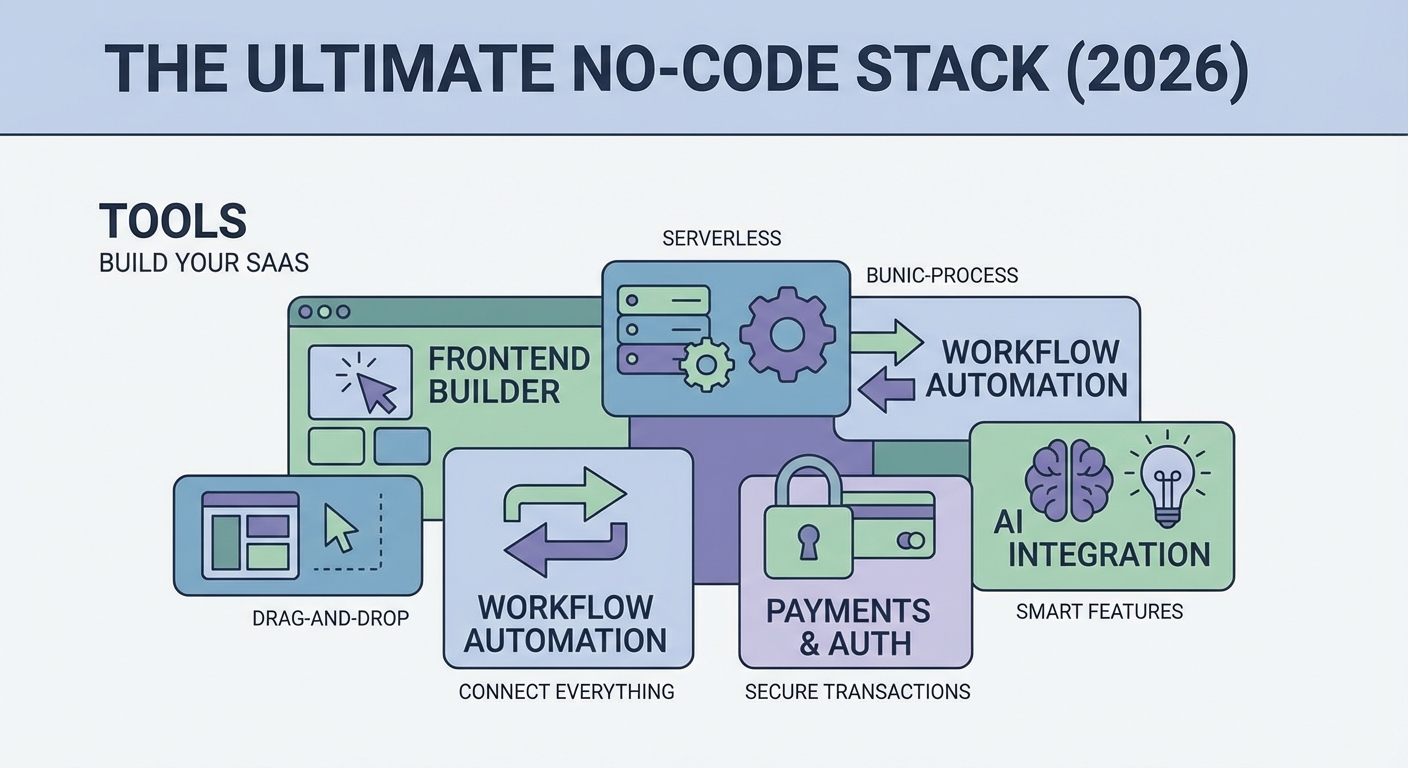
Your frontend is where users interact with your product. Pick the wrong tool and you’ll fight it every step. Pick the right one and building feels natural.
Webflow works best for marketing-heavy SaaS products. The designer gives you complete visual control. You can create beautiful landing pages, pricing tables, and blog layouts without touching CSS. The CMS handles dynamic content. The hosting is fast and reliable.
But Webflow isn’t a full application builder. You’ll need other tools for user dashboards and complex logic.
Softr excels at building actual application interfaces. Connect it to Airtable or Google Sheets and you get instant user portals, admin panels, and membership areas. The learning curve is gentle. The templates are solid starting points.
Bubble offers the most power but demands the steepest learning curve. Think of it as visual programming rather than true no-code. You can build complex workflows, conditional logic, and custom user experiences. The tradeoff? Expect weeks of learning before you build anything useful.
For most founders launching their first SaaS, start with Softr for the application and Webflow for marketing pages. This combination covers 80% of use cases without overwhelming you.
Setting Up Your Database Layer
Every SaaS needs to store data. User profiles, subscription tiers, usage metrics, content. Your database choice shapes everything else in your stack.
Airtable feels like a spreadsheet but works like a database. The interface is friendly. The API is straightforward. Most no-code tools integrate with it natively. You can start free and scale to thousands of records before hitting limits.
The downside? Airtable gets expensive fast once you need advanced features. And it’s not built for real-time applications or complex relational data.
Supabase brings real database power to no-code builders. It’s built on PostgreSQL, which means it scales properly. You get row-level security, real-time subscriptions, and built-in authentication. The free tier is generous.
The learning curve is steeper than Airtable. You’ll need to understand basic database concepts like tables, relationships, and queries. But this knowledge pays dividends as your product grows.
Google Sheets works for prototypes and very simple applications. It’s free. Everyone knows how to use it. But don’t build a real business on Sheets. Performance tanks with more than a few hundred rows. Security is limited. It’s not designed for this use case.
Start with Airtable if you’re building a content-heavy product or marketplace. Choose Supabase if you’re building something that needs real-time features or will scale quickly.
Automation and Business Logic
Your SaaS needs to do things automatically. Send welcome emails. Process payments. Update user records. Generate reports. This is where automation platforms come in.
Make (formerly Integromat) offers visual automation building. You see your entire workflow as a flowchart. Each step shows you exactly what data is passing through. The error handling is robust. The pricing is reasonable.
Make handles complex logic better than most alternatives. You can add conditions, loops, and data transformations without writing code. The platform connects to hundreds of services.
Zapier is simpler but more expensive. The interface is linear rather than visual. You create “Zaps” that trigger when something happens and then perform actions. Perfect for simple automations. Less ideal for complex workflows.
n8n is the open-source option. You can self-host it or use their cloud service. The visual builder resembles Make. The pricing is more affordable at scale. The tradeoff? Fewer pre-built integrations and a smaller community.
Here’s a practical automation workflow most SaaS products need:
- New user signs up through your authentication system
- Automation creates their profile in your database
- System sends a welcome email with onboarding steps
- User data syncs to your email marketing platform
- Analytics tool records the new signup
This entire flow runs without your involvement. Set it up once and it handles hundreds of users automatically.
Authentication and User Management
Users need to sign up, log in, and manage their accounts. Building authentication from scratch is complex and risky. Use a specialized service instead.
Memberstack integrates beautifully with Webflow and other frontend builders. It handles signups, logins, password resets, and member-only content. The pricing starts free and scales with your user count.
The platform also manages subscription logic. You can gate features based on plan tiers. Users can upgrade or downgrade themselves. The billing integration with Stripe is seamless.
Supabase Auth comes included if you’re already using Supabase for your database. It provides email/password authentication, magic links, and social logins. The security is enterprise-grade. The cost is included in your database plan.
Clerk offers the most polished user experience. The sign-up flows are beautiful. The admin dashboard is comprehensive. But it’s also the most expensive option once you exceed the free tier.
For most founders, Memberstack plus Stripe creates a complete user and payment system. The integration is proven. The documentation is clear. You’ll be collecting money within a day of setup.
Payment Processing
Getting paid is non-negotiable. Your payment processor needs to be reliable, secure, and easy to integrate.
Stripe dominates the no-code SaaS world for good reason. The API is well-documented. Every no-code tool integrates with it. The dashboard is powerful. You can handle subscriptions, one-time payments, usage-based billing, and complex pricing models.
Stripe charges 2.9% plus 30 cents per transaction. That’s standard for the industry. The value is in the reliability and feature set.
Paddle works better if you want to avoid dealing with sales tax. They act as the merchant of record, which means they handle all tax compliance. The fees are higher (5% plus payment processing), but you save time and headaches.
Lemon Squeezy is the new option gaining traction. Like Paddle, they handle tax compliance. The pricing is transparent. The dashboard is modern. The integration with no-code tools is improving but not as mature as Stripe.
Start with Stripe unless you have a specific reason not to. The ecosystem around it is massive. When you hit a problem, someone else has already solved it and written about it.
Email and Communication
Your SaaS needs to send emails. Transactional emails for password resets and receipts. Marketing emails for feature announcements and tips. Support emails for customer questions.
SendGrid handles transactional email reliably. The free tier includes 100 emails per day. The deliverability is strong. The API integrates with automation platforms easily.
ConvertKit works well for marketing emails. The interface is creator-friendly. You can segment users based on their plan or behavior. The automation features let you build onboarding sequences.
Intercom or Crisp add live chat and support ticketing. Users can message you directly from your app. You can see their profile and history. The context makes support faster and better.
Split your email needs across specialized tools rather than forcing one platform to do everything. Use SendGrid for transactional, ConvertKit for marketing, and Crisp for support. Each tool costs under $50 monthly at small scale.
Analytics and Metrics
You can’t improve what you don’t measure. Your SaaS needs analytics from day one.
Plausible or Fathom provide privacy-friendly website analytics. They’re simpler than Google Analytics. The dashboards show you what matters: traffic sources, popular pages, conversion rates. Both are cookie-free, which means no annoying consent banners.
Mixpanel tracks user behavior inside your application. You can see which features people use. Where they get stuck. How often they return. This data shapes your product roadmap.
Baremetrics or ChartMogul connect to Stripe and turn payment data into business metrics. Monthly recurring revenue, churn rate, lifetime value. These numbers tell you if your business is healthy.
Start simple. Install Plausible on your marketing site and Mixpanel in your app. Add revenue analytics once you have paying customers. Don’t get lost in vanity metrics early on.
Common Stack Combinations
Different SaaS types need different stacks. Here are proven combinations:
| SaaS Type | Frontend | Database | Automation | Auth | Best For |
|---|---|---|---|---|---|
| Content Platform | Webflow | Airtable | Make | Memberstack | Courses, communities, resources |
| B2B Tool | Softr | Supabase | Make | Supabase Auth | Dashboards, directories, portals |
| Marketplace | Bubble | Bubble DB | Bubble Workflows | Bubble Auth | Two-sided platforms |
| Simple Product | Carrd | Google Sheets | Zapier | Memberstack | MVPs, waiting lists |
The “best” stack is the one you’ll actually use. Don’t chase perfection. Pick tools that make sense for your skill level and product type.
Building Your First Feature
Theory only gets you so far. Here’s how to build a real feature using the no-code stack:
-
Design the user flow on paper. What does the user see? What actions can they take? What happens next? Sketch this before opening any tools.
-
Set up your database structure. Create tables for users, content, and transactions. Define the relationships. Add some test data.
-
Build the interface. Use your frontend tool to create the screens. Connect them to your database. Add buttons and forms.
-
Wire up the automation. When a user submits the form, what should happen? Create the automation workflow that processes their input.
-
Test everything twice. Go through the flow as a user. Try to break it. Check that data saves correctly. Verify emails send.
-
Launch to five people. Get real users in there. Watch what they do. Fix the obvious problems.
This process works for any feature. Repeat it until you have a complete product.
Budgeting Your Stack
Here’s what a realistic no-code stack costs monthly:
- Frontend (Webflow or Softr): $40
- Database (Airtable or Supabase): $20
- Automation (Make): $10
- Authentication (Memberstack): $25
- Email (SendGrid + ConvertKit): $30
- Analytics (Plausible + Mixpanel): $20
- Stripe fees: Variable (3% of revenue)
Total fixed costs: Around $145 monthly. Add Stripe’s percentage fees on top.
This budget supports hundreds of users. Most tools have free tiers that work for initial validation. Upgrade only when you hit limits or need advanced features.
Compare this to hiring a developer at $100 per hour. You’d spend more than your annual no-code costs in a single day of development work.
Scaling Beyond No-Code
At some point you might need custom code. But that point is further away than you think.
“We ran our SaaS on Airtable and Webflow until we hit $30K monthly recurring revenue. Only then did we hire a developer. The no-code stack validated our idea and funded our transition to custom code.” — Sarah Chen, founder of TaskFlow
Signs you’re ready to consider custom development:
- Your automation workflows are breaking regularly
- You’re hitting hard limits on database records or API calls
- Users are requesting features your stack can’t support
- You’re spending more time fighting tools than building features
But even then, you might just need to swap one piece of your stack. Replace Airtable with Supabase. Move from Webflow to a custom frontend while keeping your no-code backend. Incremental transitions reduce risk.
Many successful SaaS companies never leave the no-code world. They scale by using better no-code tools, not by switching to code.
Mistakes That Cost Time and Money
Watch out for these common traps:
Building too much before launching. Ship a simple version fast. Get real feedback. Iterate based on what users actually need, not what you imagine they want.
Choosing tools based on features rather than fit. The platform with the longest feature list isn’t always the best choice. Pick tools that match your skill level and use case.
Ignoring integration limits. Some tools have API rate limits or connection restrictions. Check these before committing. Running into a hard limit three months in is painful.
Skipping proper user authentication. Rolling your own login system with Airtable and Zapier is tempting but dangerous. Use proper auth services. Security matters.
Underestimating data structure planning. A messy database becomes a nightmare as you scale. Spend time up front designing clean, logical data structures.
Your First 30 Days
Here’s a realistic timeline for building your first no-code SaaS:
Week 1: Choose your stack. Sign up for tools. Watch tutorial videos. Build a simple test project to learn the basics.
Week 2: Design your core feature. Set up your database. Build the basic interface. Don’t worry about polish yet.
Week 3: Add authentication and payments. Create your automation workflows. Test everything yourself.
Week 4: Invite 10 people to try your product. Fix the broken things. Launch publicly with a simple landing page.
This timeline assumes you’re working part-time. Full-time founders can move faster. The key is momentum. Build something real every single day.
Making Your Stack Work Together
The real power comes from integration. Your tools need to talk to each other seamlessly.
Use automation platforms as the glue. When a payment succeeds in Stripe, trigger a Make workflow that updates the user’s record in Airtable, sends them an email through SendGrid, and logs the event in Mixpanel.
Document your integrations. Create a simple spreadsheet that lists every connection between tools. Note what triggers what. Future you will thank present you.
Test the connections regularly. APIs change. Services update. Something that worked last month might break today. Catch issues before users do.
Getting Started Today
You have everything you need to start building. The tools exist. The tutorials are free. The only missing piece is your decision to begin.
Pick one feature of your SaaS idea. Not the whole product. Just one feature. Spend this week building that single feature using the no-code stack. Make it work end to end. Get one person to use it.
That’s how every successful no-code SaaS starts. Not with a perfect plan or a complete product. With one working feature that solves one real problem for one actual person. Everything else builds from there.