Choosing how users will log into your application ranks among the most important technical decisions you’ll make. Get it wrong and you’ll deal with support tickets, security vulnerabilities, and frustrated users who abandon your app before they even start. Get it right and authentication becomes invisible, letting users focus on the value your product delivers.
SaaS authentication methods include traditional email and password, OAuth social logins, magic links, single sign-on, and multi-factor authentication. Each approach balances security, implementation complexity, and user experience differently. Most successful SaaS products combine multiple methods, letting users choose their preferred login path while maintaining strong security standards across all options.
Understanding what makes SaaS authentication different
SaaS authentication differs from traditional web logins because your users expect to access your application from multiple devices, often switching between desktop and mobile throughout their day. They want seamless experiences without remembering yet another password.
Security requirements also run higher. You’re protecting not just individual accounts but potentially entire organizations’ data. A breach doesn’t just affect one user. It can expose customer lists, financial records, or proprietary business processes.
The authentication method you choose affects conversion rates directly. Research shows that 67% of users abandon a signup form if it feels too complicated. Every extra field or confusing step costs you potential customers.
When building your SaaS MVP, you need authentication that’s secure enough to protect user data but simple enough to implement without derailing your launch timeline.
Traditional email and password authentication
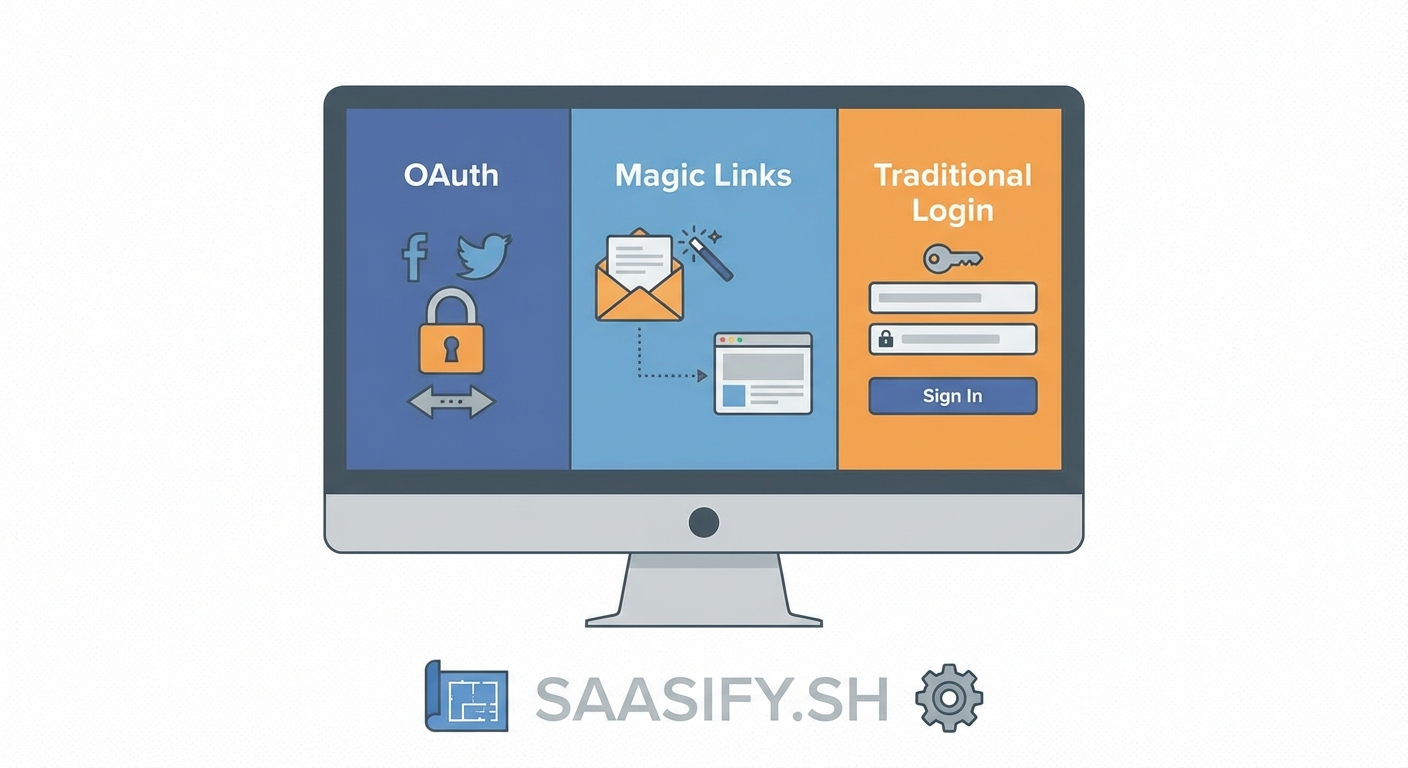
The classic username and password combination remains the most widely implemented authentication method. Users enter their email and create a password, which gets hashed and stored in your database.
Implementation feels straightforward. You need a registration form, a login form, password hashing (use bcrypt or Argon2), and a password reset flow. Most web frameworks include libraries that handle the heavy lifting.
But this simplicity hides significant challenges:
- Users pick weak passwords despite your requirements
- Password reuse across sites creates vulnerability chains
- You must implement secure password reset flows
- Storage and hashing require careful security practices
- Compliance regulations dictate specific handling requirements
Traditional authentication works best when you need complete control over your auth flow or when targeting users who prefer familiar login patterns. Enterprise users often expect this method because it matches their existing mental models.
The biggest advantage? No external dependencies. Your authentication system runs entirely within your infrastructure, giving you full control over uptime and user data.
OAuth and social login integration
OAuth lets users authenticate using their existing accounts from Google, Microsoft, GitHub, or other providers. Instead of creating new credentials, users click a button and grant your app permission to access basic profile information.
The technical flow works like this:
- User clicks “Sign in with Google” on your login page
- Your app redirects them to Google’s authorization server
- User approves the permission request
- Google redirects back with an authorization code
- Your server exchanges the code for access tokens
- You create or update the user account in your system
This method dramatically reduces friction. Users skip password creation entirely. They don’t need to remember another credential set. Signup takes seconds instead of minutes.
Security improves because authentication happens on the provider’s infrastructure. Google and Microsoft invest millions in protecting their auth systems. You benefit from their security teams without building that expertise yourself.
Implementation requires registering your app with each OAuth provider, handling redirect flows, and managing token refresh cycles. Libraries like Passport.js, NextAuth, or Auth0 simplify this process significantly.
OAuth makes sense for consumer-facing SaaS products where users expect social login options. B2B applications targeting enterprise customers should include Microsoft and Google options at minimum, as these match corporate identity providers.
The tradeoff? You depend on external services. If Google’s OAuth service experiences downtime, your users can’t log in. You also get less control over the authentication experience and must handle cases where users sign up with different OAuth providers using the same email.
Magic links for passwordless authentication
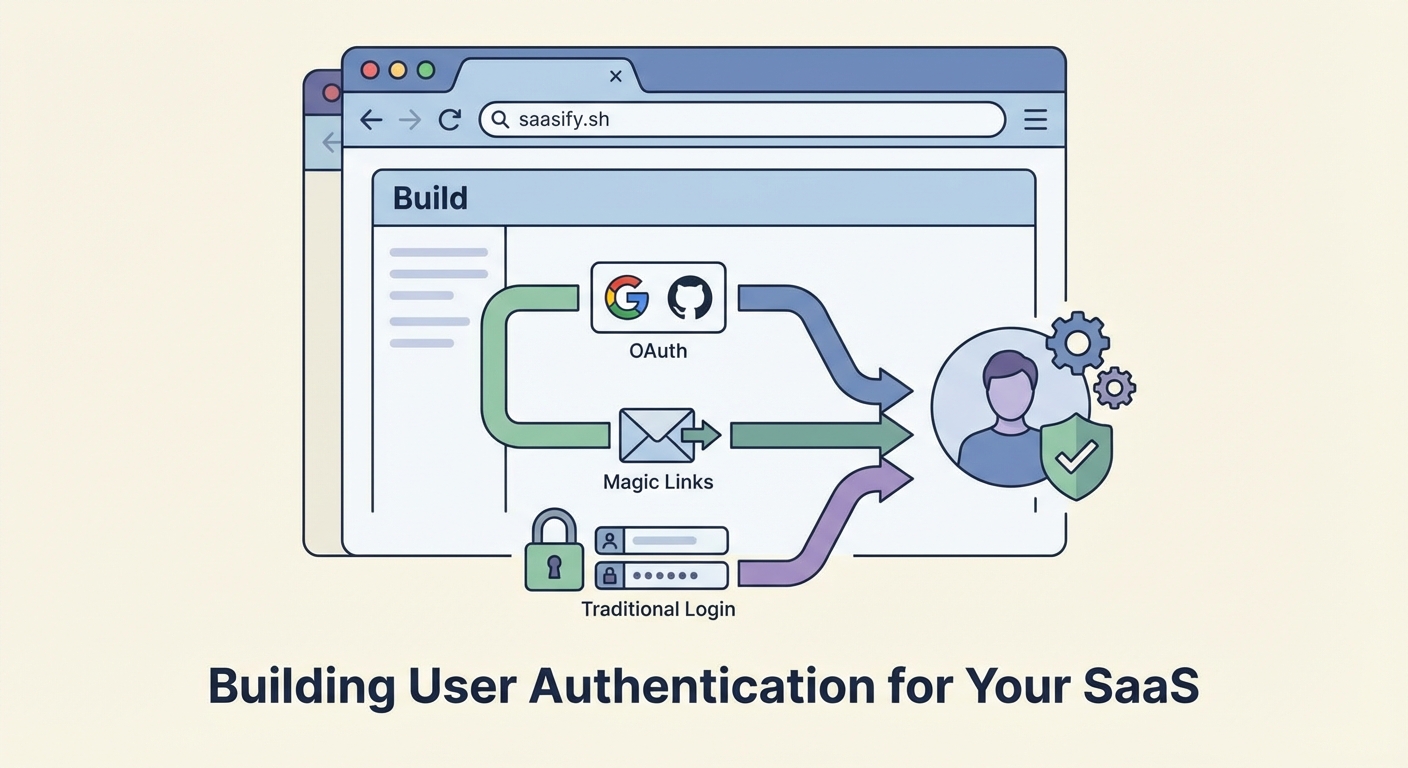
Magic links send users a one-time URL via email that logs them in automatically when clicked. No password creation, no password memory, no password reset flows.
The process feels almost magical from a user perspective:
- Enter email address on login page
- Receive email with unique link
- Click link and land inside the application, authenticated
Behind the scenes, your system generates a secure random token, stores it with an expiration timestamp, and includes it in the email URL. When the user clicks, you verify the token hasn’t expired and hasn’t been used, then create their session.
Magic links eliminate password-related support tickets entirely. Users never forget their password because they don’t have one. Security improves because each link works only once and expires after 15-30 minutes.
This method shines for applications where users log in infrequently. If your SaaS gets accessed weekly or monthly rather than daily, magic links remove the friction of password memory without adding complexity.
Implementation challenges include email deliverability, handling users who check email on different devices, and managing token expiration. You need robust email infrastructure and clear messaging about link expiration.
The biggest limitation? Users must have email access to log in. This creates friction for users trying to access your app quickly or those in environments with restricted email access.
Single sign-on for enterprise customers
Single sign-on (SSO) lets users authenticate through their organization’s identity provider. When a user from Acme Corp tries to log into your SaaS, they get redirected to Acme’s login system. After authenticating there, they return to your app already logged in.
SSO implementations typically use SAML 2.0 or OpenID Connect protocols. The identity provider (like Okta, Azure AD, or OneLogin) handles authentication. Your application trusts the provider’s assertion that the user is who they claim to be.
Enterprise customers often require SSO before they’ll consider your product. It lets them:
- Enforce their security policies across all applications
- Manage user access centrally
- Disable access instantly when employees leave
- Meet compliance requirements for identity management
- Reduce password-related support burden
From a technical standpoint, SSO adds complexity. You must support multiple protocols, handle organization-specific configurations, and implement just-in-time user provisioning. Most founders implement SSO after reaching product-market fit rather than in the initial MVP.
Libraries like passport-saml or commercial solutions like WorkOS or Auth0 handle much of the implementation complexity. You still need to build admin interfaces for SSO configuration and support multiple tenants with different identity providers.
Pricing often reflects this complexity. Many SaaS products place SSO on enterprise plans, both because implementation costs justify higher pricing and because enterprise customers expect to pay more for this feature.
Multi-factor authentication as a security layer
Multi-factor authentication (MFA) adds a second verification step after password entry. Users prove their identity through something they know (password) plus something they have (phone, security key, or authenticator app).
Common MFA implementations include:
- Time-based one-time passwords (TOTP) from apps like Google Authenticator
- SMS codes sent to registered phone numbers
- Push notifications to mobile apps
- Hardware security keys using WebAuthn
- Backup codes for account recovery
MFA dramatically reduces account takeover risk. Even if someone steals a password, they can’t access the account without the second factor. This protection matters especially for SaaS applications handling sensitive data or financial information.
Implementation requires storing MFA secrets securely, generating or verifying codes, and handling the enrollment flow where users set up their second factor. You also need backup authentication methods for users who lose their second factor device.
The user experience challenge lies in balancing security with convenience. Requiring MFA on every login creates friction. Smart implementations use risk-based authentication, requiring the second factor only for suspicious logins or sensitive actions.
Many SaaS products make MFA optional initially, then require it for certain user roles or account types. This approach lets security-conscious users protect their accounts while not forcing friction on everyone.
Comparing implementation complexity and security trade-offs
Different authentication methods require different levels of effort and provide different security guarantees. This table breaks down the key factors:
| Method | Implementation Time | Security Level | User Friction | Maintenance Burden |
|---|---|---|---|---|
| Email/Password | 1-2 weeks | Medium | Low | High (resets, storage) |
| OAuth Social | 3-5 days | High | Very Low | Low (provider managed) |
| Magic Links | 1 week | Medium-High | Medium | Medium (email delivery) |
| Enterprise SSO | 3-4 weeks | Very High | Low (for enterprises) | High (multi-tenant config) |
| Multi-Factor | 1-2 weeks | Very High | Medium | Medium (recovery flows) |
Implementation time assumes you’re using existing libraries rather than building from scratch. Security level reflects protection against common attack vectors. User friction measures how much effort users expend during authentication.
The right choice depends on your specific situation:
- Early-stage products benefit from OAuth or magic links for fast implementation and low friction
- B2B SaaS targeting enterprises needs traditional auth plus SSO capability
- Financial or healthcare applications require MFA regardless of other methods
- Consumer products prioritize OAuth for the lowest possible signup friction
Most successful SaaS products implement multiple methods. You might offer OAuth for easy signups, traditional email/password for users who prefer it, and MFA as an optional security upgrade.
Choosing based on your user profile and business model
Your authentication strategy should match your target users’ expectations and technical comfort levels.
Consumer-facing products targeting general audiences should prioritize OAuth social logins. Users expect to see “Continue with Google” buttons. This familiarity reduces signup friction and improves conversion rates.
B2B products selling to small businesses can start with email/password or magic links. These users often prefer not mixing personal (Google) and business (your product) accounts. As you move upmarket, add SSO to meet enterprise requirements.
Developer tools and technical products can use GitHub or GitLab OAuth. Your users already have these accounts and prefer not creating new credentials for every tool they try.
Products in regulated industries (healthcare, finance, legal) must implement MFA from day one. Compliance requirements often mandate two-factor authentication for accessing sensitive data.
Consider your support capacity too. Traditional password authentication generates the most support tickets. If you’re a solo founder, magic links or OAuth reduce support burden significantly.
When validating your SaaS idea, test authentication preferences with potential users. Ask which login methods they use regularly and which they trust most.
Implementation steps for your first authentication system
Building authentication right the first time saves countless hours of refactoring later. Follow this sequence:
-
Choose your primary method based on user research and technical constraints. Pick one method to implement fully before adding alternatives.
-
Select a library or service rather than building from scratch. Use Passport.js, NextAuth, Auth0, Supabase, or similar proven solutions. Security is too critical for DIY approaches.
-
Implement session management with secure, httpOnly cookies or JWT tokens. Sessions should expire after reasonable timeframes and support refresh tokens for longer-lived access.
-
Build account recovery flows before launch. Users will lock themselves out. Have clear, secure processes for regaining access.
-
Add rate limiting to prevent brute force attacks. Limit login attempts per IP address and per email address. Implement exponential backoff for repeated failures.
-
Test edge cases thoroughly including expired tokens, concurrent logins, account deletion, and email changes. These scenarios break auth systems more often than happy paths.
-
Document security practices for your future self and team members. Include password hashing algorithms, token generation methods, and session duration decisions.
The pricing decisions you make often tie to authentication features. Enterprise plans typically include SSO and advanced MFA options, while basic plans offer standard authentication methods.
Common mistakes that compromise security
Even experienced developers make authentication errors that create vulnerabilities. Avoid these frequent mistakes:
Storing passwords in plain text or using weak hashing. Always use bcrypt, Argon2, or scrypt with appropriate cost factors. MD5 and SHA-1 don’t provide adequate protection.
Implementing your own crypto. Use established libraries for token generation, encryption, and hashing. Rolling your own cryptography almost always introduces flaws.
Skipping HTTPS. Authentication credentials sent over HTTP are trivially intercepted. Use HTTPS everywhere, not just on login pages.
Allowing unlimited login attempts. Implement rate limiting to prevent brute force attacks. Lock accounts temporarily after multiple failed attempts.
Using predictable password reset tokens. Generate cryptographically secure random tokens for password resets and magic links. Sequential or timestamp-based tokens are guessable.
Forgetting to invalidate sessions. When users change passwords or request account deletion, invalidate all existing sessions. Don’t leave old sessions active.
Exposing detailed error messages. Don’t tell attackers whether an email exists in your system. Use generic “invalid credentials” messages for failed logins.
Security audits catch these issues, but prevention costs less than remediation. If you’re building your first SaaS, allocate time for security review before launch.
Scaling authentication as your product grows
Your authentication needs evolve as you acquire more users and enterprise customers. Plan for these growth stages:
Initial launch requires one solid authentication method with proper security practices. Focus on getting this foundation right rather than building every possible option.
First enterprise customer often triggers SSO implementation. Budget 3-4 weeks for SAML integration and testing with their identity provider.
Compliance requirements emerge as you enter regulated industries or serve larger customers. SOC 2, HIPAA, or GDPR audits will scrutinize your authentication implementation.
Geographic expansion introduces new authentication preferences. European users expect different social login options than American users. Asian markets have their own preferred identity providers.
Mobile apps require different authentication flows. Implement OAuth with PKCE (Proof Key for Code Exchange) for mobile security. Handle deep linking for magic links.
Session management becomes more complex at scale. You’ll need distributed session storage using Redis or similar systems. Token refresh strategies matter more when users stay logged in across multiple devices.
Consider authentication-as-a-service platforms like Auth0, Supabase Auth, or WorkOS once you’re serving thousands of users. These services handle the complexity of multiple authentication methods, letting you focus on your core product.
Making authentication invisible to users
The best authentication systems fade into the background. Users shouldn’t think about logging in. They should think about accomplishing their goals in your application.
Implement smart session duration based on user behavior. Let users stay logged in for weeks on trusted devices while requiring re-authentication for sensitive actions.
Use biometric authentication on mobile devices when available. Face ID and fingerprint sensors provide security without friction.
Remember device fingerprints and trust levels. If a user always logs in from the same laptop, reduce authentication friction on that device while maintaining stricter requirements for new devices.
Provide clear security communication without alarm. Show users when and where they’re logged in. Let them revoke access from unfamiliar devices. Transparency builds trust.
Handle errors gracefully. When authentication fails, explain what happened and what users should do next. Avoid technical jargon in error messages.
The goal isn’t just secure authentication. The goal is secure authentication that users barely notice because it works so smoothly.
Building authentication that grows with your business
Authentication forms the foundation of your entire SaaS application. Users can’t access your features, your data stays protected, and your business maintains trust all through proper authentication implementation.
Start with one method that matches your target users’ expectations. Implement it with strong security practices and thorough testing. Add additional methods as your user base grows and their needs diversify.
Remember that authentication isn’t a one-time decision. You’ll evolve your approach as you learn more about your users, face new security challenges, and expand into new markets. Build with flexibility in mind, using established libraries and services that can grow with you.
The authentication method you choose today shapes your user experience, security posture, and development roadmap for years to come. Choose thoughtfully, implement carefully, and iterate based on real user feedback and security requirements.