Your database is the backbone of your SaaS. Get it wrong at the start, and you’ll spend months untangling performance issues, migration headaches, and angry customer support tickets. Most founders don’t realize they’ve made a mistake until they’re already at scale, when fixing it costs 10x more in time and money.
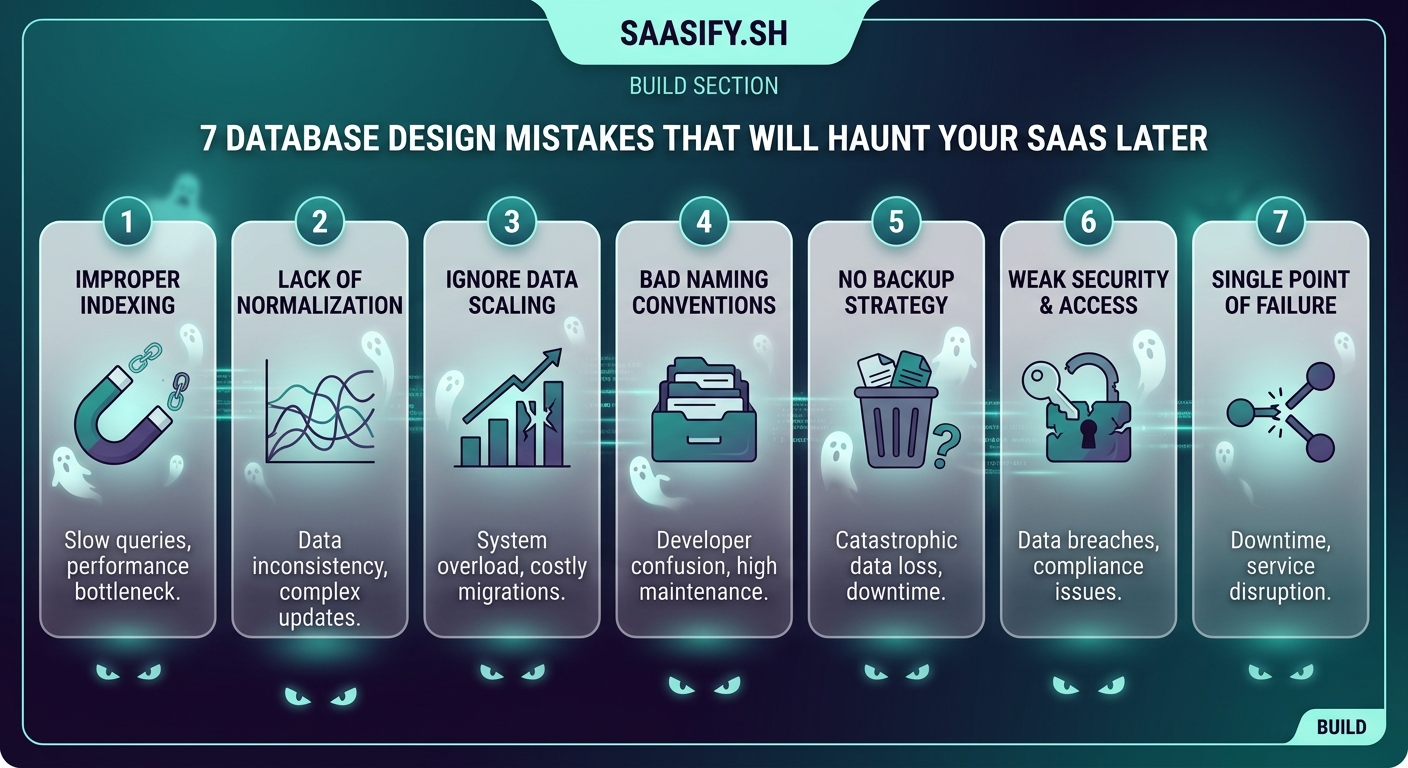
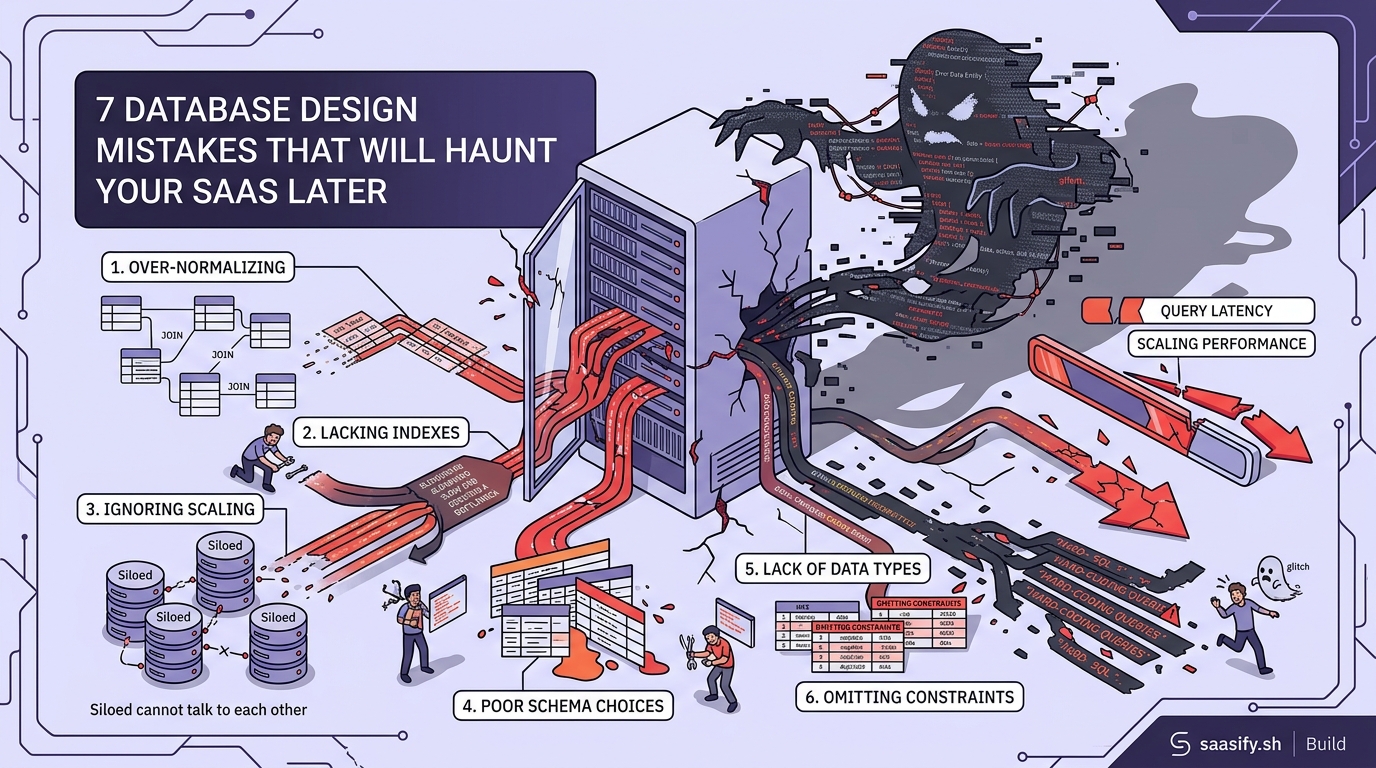
Database design mistakes compound over time. Poor indexing, missing foreign keys, and improper normalization seem minor during development but become critical bottlenecks at scale. This guide covers seven common database design mistakes that plague SaaS products, with practical fixes you can implement before they become expensive problems. Learn how to structure your schema, optimize queries, and avoid architectural decisions that limit growth.
Skipping Proper Indexing From Day One
Indexes are the difference between a query that runs in 50 milliseconds and one that takes 5 seconds.
Many developers skip indexes during early development because their test dataset has 100 rows. Everything feels fast. Then they launch, get 10,000 users, and suddenly the dashboard times out.
Here’s what happens without proper indexes:
- Full table scans on every query
- Exponential slowdown as data grows
- Increased server costs to compensate
- Poor user experience that drives churn
Add indexes on columns you filter, sort, or join frequently. If you’re running WHERE user_id = ? thousands of times per day, that column needs an index.
But don’t go overboard. Every index slows down writes because the database has to update the index on every INSERT or UPDATE. Find the balance.
| Query Pattern | Index Strategy | When to Use |
|---|---|---|
| Exact matches | Single column index | user_id, email, status |
| Range queries | B-tree index | created_at, price, age |
| Text search | Full-text index | descriptions, comments |
| Multiple conditions | Composite index | (user_id, created_at) |
Start with indexes on foreign keys and columns in your WHERE clauses. Monitor slow query logs. Add indexes based on actual usage patterns, not guesses.
Ignoring Database Normalization Rules
Normalization prevents data inconsistencies and reduces redundancy.
The classic mistake is storing user information in multiple tables. You put the user’s email in the orders table, the subscriptions table, and the notifications table. Then the user updates their email, and you have to remember to update it in four places.
You won’t remember.
Now you have orphaned data, broken references, and support tickets asking why emails aren’t being delivered to the right address.
Follow these normalization guidelines:
- Store each piece of data in exactly one place
- Use foreign keys to reference data in other tables
- Break down complex data into separate tables
- Avoid storing calculated values that can be derived
There are exceptions. Sometimes denormalization improves performance. If you’re running the same JOIN across five tables on every page load, consider storing a computed column.
But make that decision deliberately, not by accident.
“Premature optimization is the root of all evil, but premature denormalization is even worse. Start normalized, then denormalize only when you have metrics proving it’s necessary.” – Database architect with 15 years of SaaS experience
Using the Wrong Data Types
Data types matter more than you think.
Storing a boolean as a VARCHAR wastes space and slows down queries. Using INT for a field that will never exceed 255 wastes 3 bytes per row. That adds up when you have millions of records.
Common data type mistakes:
- Storing dates as strings instead of DATE or TIMESTAMP
- Using TEXT for short strings that should be VARCHAR(50)
- Picking FLOAT for currency (use DECIMAL instead)
- Storing JSON as TEXT without proper indexing
Each wrong choice compounds. A table with 10 million rows and inefficient data types can waste gigabytes of storage and significantly slow down queries.
When building your SaaS MVP, take 10 minutes to choose the right data types. It’s much harder to change later.
Here’s a practical example. You’re storing user subscription status. You could use:
- VARCHAR(20) storing “active”, “canceled”, “expired” (wastes space)
- TINYINT with 0, 1, 2 (saves space but unclear)
- ENUM(‘active’, ‘canceled’, ‘expired’) (best of both)
The ENUM gives you readability and efficiency. It stores as an integer internally but displays as a string.
Forgetting About Multi-Tenancy From the Start
Most SaaS products serve multiple customers from the same database.
If you don’t plan for this from day one, you’ll end up with data leakage bugs. Customer A sees Customer B’s data. That’s a career-ending mistake in some industries.
There are three main approaches to multi-tenancy:
- Separate databases per tenant (most isolated, hardest to manage)
- Separate schemas per tenant (middle ground)
- Shared tables with tenant_id column (most common, requires discipline)
Most indie SaaS products use option three. Every table gets a tenant_id or organization_id column. Every query includes a WHERE clause filtering by that ID.
The problem is remembering to add that filter everywhere. Miss it once, and you have a security vulnerability.
Build it into your data access layer. Never write raw SQL that touches user data without going through a function that automatically adds the tenant filter.
Some frameworks handle this automatically. Others require you to be disciplined. Choose your approach based on your tech stack and the sensitivity of your data.
If you’re deciding between monolith or microservices, consider how each architecture handles multi-tenancy differently.
Not Planning for Schema Changes
Your schema will change. New features require new columns and tables.
The mistake is not having a migration strategy from the beginning.
You push a change to production. It works on your local database with 500 test records. Then it locks a table with 5 million rows for 10 minutes during peak hours. Your app goes down. Users complain. Revenue drops.
Here’s how to handle schema changes safely:
- Use a migration tool (Flyway, Liquibase, or your framework’s built-in system)
- Test migrations on a copy of production data
- Make changes backward compatible when possible
- Add new columns as nullable first, backfill data, then add constraints
- Schedule large migrations during low-traffic periods
Never modify the schema directly in production. Always use version-controlled migration files that can be rolled back if something goes wrong.
For adding a new NOT NULL column to a large table:
- Add the column as nullable
- Deploy code that writes to the new column
- Backfill existing rows in batches
- Add the NOT NULL constraint after all data is filled
- Remove old code that handled the nullable case
This takes longer but prevents downtime.
Storing Everything in One Giant Table
The “users” table that does everything is a red flag.
You start with basic user info. Then you add subscription data. Then billing history. Then preferences. Then notification settings. Then analytics tracking data.
Now you have a table with 50 columns, half of which are NULL for most rows. Queries are slow because the database has to scan through massive rows even when you only need the email address.
Break it into logical tables:
- users (core identity data)
- user_profiles (extended information)
- user_preferences (settings)
- user_subscriptions (billing)
- user_activity (analytics)
Join them when needed. Keep each table focused on one concern.
This also makes it easier to scale later. You can move user_activity to a separate database or even a different storage system without touching core user data.
The same principle applies to any entity in your system. If you’re storing order information, don’t cram line items, shipping details, and payment info into one table.
Neglecting Query Performance Monitoring
You can’t fix what you don’t measure.
Most database design mistakes only become visible under load. Your local development environment with 100 test records won’t reveal the problems.
Set up query performance monitoring before you launch. Most databases have built-in tools:
- PostgreSQL: pg_stat_statements
- MySQL: slow query log
- SQL Server: Query Store
Configure these to log any query taking longer than 100ms. Review the logs weekly. The patterns will tell you where to add indexes, rewrite queries, or restructure tables.
Pay attention to:
- Queries running thousands of times per hour
- Queries with execution times increasing over time
- Queries doing full table scans
- Queries with high memory usage
One slow query running once per day is annoying. One slow query running 10,000 times per day will bring down your database.
When you’re choosing your tech stack, make sure you pick a database that has good monitoring tools or integrates with external monitoring services.
Building Your Database to Last
Database design mistakes are expensive to fix after launch.
Take the time upfront to structure your schema properly. Add indexes where they matter. Choose the right data types. Plan for multiple tenants. Set up monitoring.
These decisions seem small when you’re building your MVP. They become massive when you’re trying to serve 10,000 users with a database that’s buckling under the load.
Start with a solid foundation. Your future self will thank you when you’re scaling instead of firefighting performance issues.
If you need help selecting the right database technology for your use case, check out the complete guide to choosing a database for your indie SaaS product.